Vibecoding: A Breakout Guide for Programmers in the AI Folding
An edited transcript of my late-2025 team talk, “Vibecoding: A Breakout Guide for Programmers in the AI Folding.” It starts with Folding Beijing, walks through survey data from 37 colleagues on how AI coding tools are actually landing in the team, and looks at how to push individual efficiency from an average of 38% to 80%+ for everyone — covering prompt techniques, lean MCP setups, and a bunch of tricks you can only learn from practice.
Background
- Team sharing session: Vibecoding — a breakout guide for programmers in the AI Folding
- Based on a survey of 37 colleagues, 94.6% of whom use AI coding tools multiple times a day
Slides

- Hello everyone, today I’ll be sharing “Vibecoding: A Breakout Guide for Programmers in the AI Folding”!
- One day I noticed our colleague Lei’s Feishu status message was “AI Folding,” and I asked him what it meant.
- He said: have you read Folding Beijing? It’s the same idea.

- Have you read Folding Beijing? It has this fascinating premise: the city is divided into three layers, and when the time comes, one layer goes to sleep while their buildings fold away, and another layer comes out to live. In short, people are sorted into classes and completely sealed off from one another.
- What we’re going through right now is basically the “AI version of Folding Beijing.” Within the same company, those who use AI and those who don’t are already living in two different worlds.
- What’s the cruelest part of the novella? The people of the Third Space spend their days manually sorting garbage — work machines could easily do long ago. It’s deliberately left for them, just so they can scrape by.
- That hits hard. Think about programming: if you’re still coding and debugging by pure manual craftsmanship, then in the eyes of AI, you’re “manually sorting garbage.” You grind away for hours while a colleague who uses AI finishes in thirty minutes. The gap isn’t 2x — it’s an outright chasm.
- That’s what today’s talk is about: Vibecoding. It’s the ladder. We need to climb over the wall, not be the “Third Space laborer” toiling at the bottom. Be the “first-class citizen” who rides AI.
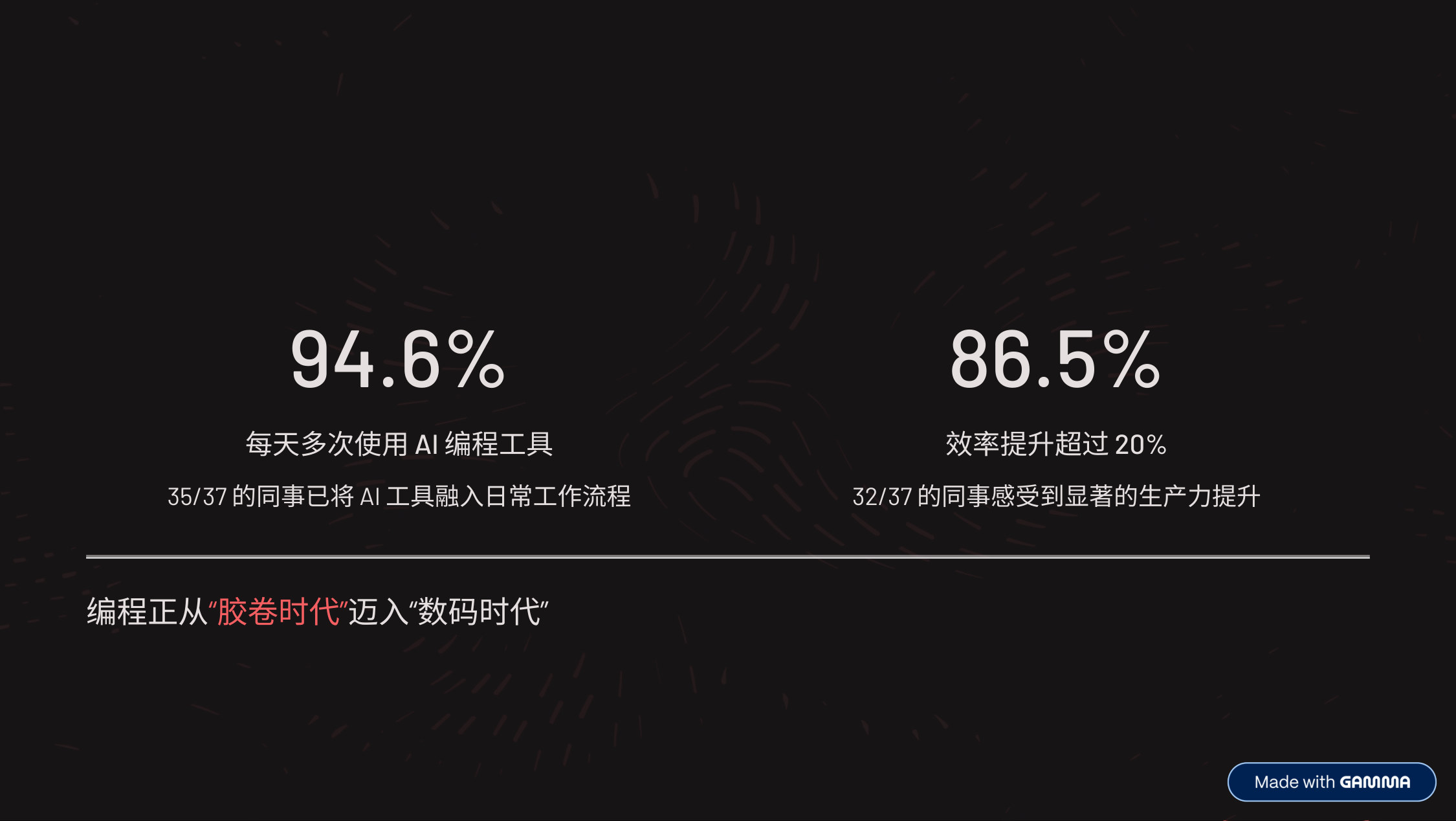
- First, let’s look at the survey results: in our team, 94.6% of colleagues use AI coding tools multiple times a day, and 86.5% say their efficiency has improved by more than 20%.
- This means AI coding is no longer a niche experiment — it’s become a core part of our team’s workflow.
- From a technological standpoint, we’re going through something like the transition from “film photography” to “digital photography.” In the past, handwriting every line of code was like shooting film — every shutter press had to be carefully planned. Now we’re in the digital era, and the way we program is fundamentally changing.

- More importantly, we already have a solid foundation for capacity growth.
- Based on the efficiency gains everyone reported, I did a simple conversion: with 44 people in our department, we effectively already have the capacity of a 61-person team.
- What does that mean? It’s like gaining 17 extra people out of thin air.
- Our tool adoption is also solid: plenty of colleagues use MCP and AGENT.md.
- And notably, 27% of colleagues have already achieved over 50% efficiency gains. Our team is ready for the next leap.

- But our potential isn’t fully unleashed yet.
- Based on precise calculations from 37 survey responses, the team’s average efficiency gain is currently 38%. What does that mean?
- Our short-term goal is for everyone to reach 50%+, so the 44-person team operates at 70-person capacity — the equivalent of gaining 26 people.
- Our ultimate goal is 80%+ for everyone, which would let the 44-person team operate at 79-person capacity — 35 extra people, nearly doubling!
- So raising each individual’s AI coding efficiency is our top priority.
- That’s the core of today’s talk: how to raise everyone’s efficiency, and thereby raise the whole team’s capacity.
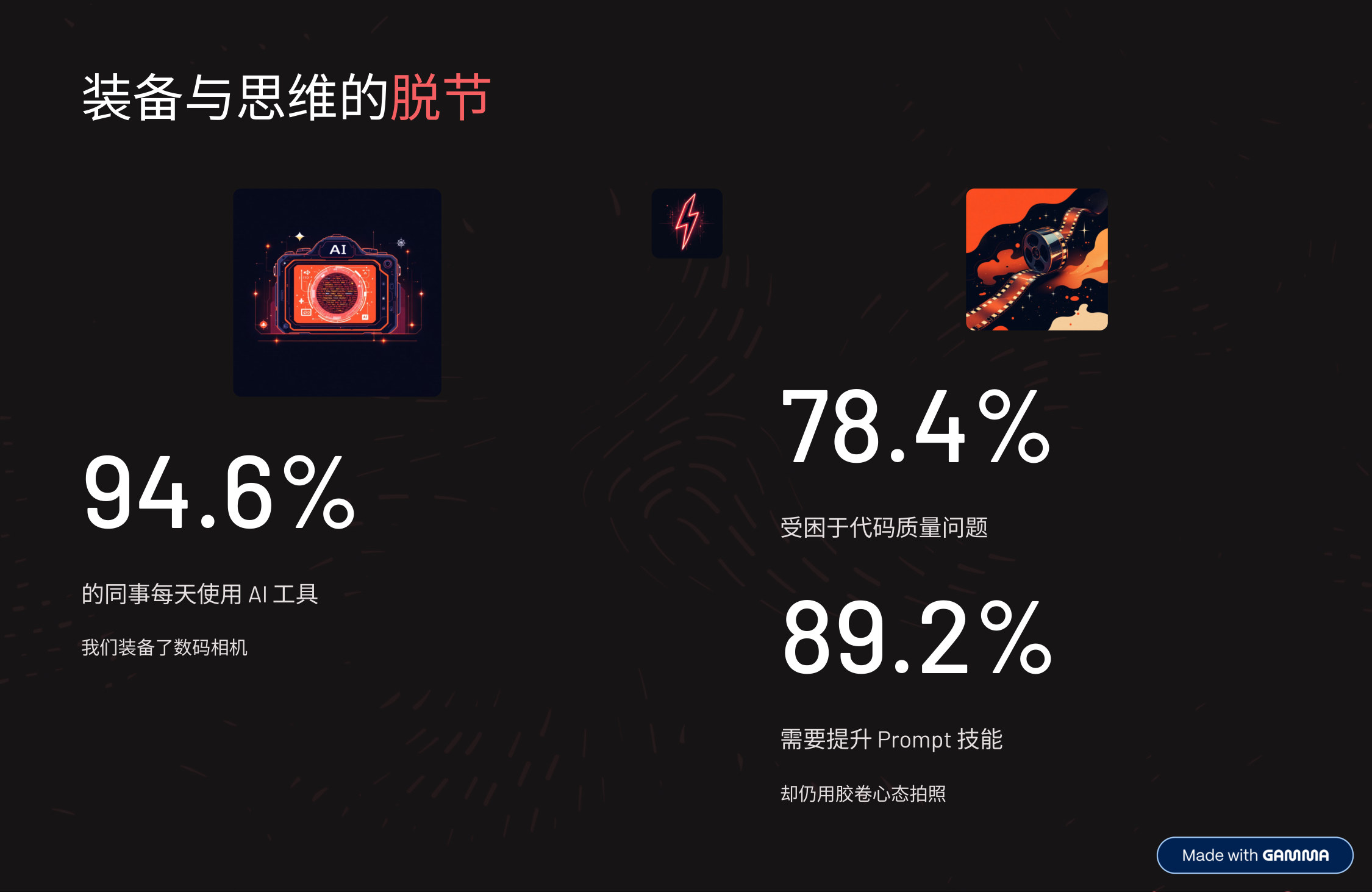
- So where does the problem lie? Let’s look at a core conflict.
- 94.6% of colleagues use AI tools daily — it’s as if everyone is equipped with a “digital camera.”
- Yet 78.4% of colleagues are held back by code quality. It’s like holding the latest digital camera while your mind still runs on “every shot of film is precious” thinking — afraid of mistakes, you can’t bring yourself to press the shutter.
- Even more critically, 89.2% say they need to improve their prompt skills — that’s like lacking “digital photography” knowledge, not knowing how to use the advanced device in your hands.
- This is the core contradiction we face today: we’ve equipped ourselves with advanced tools, but our mindset and methods haven’t caught up.
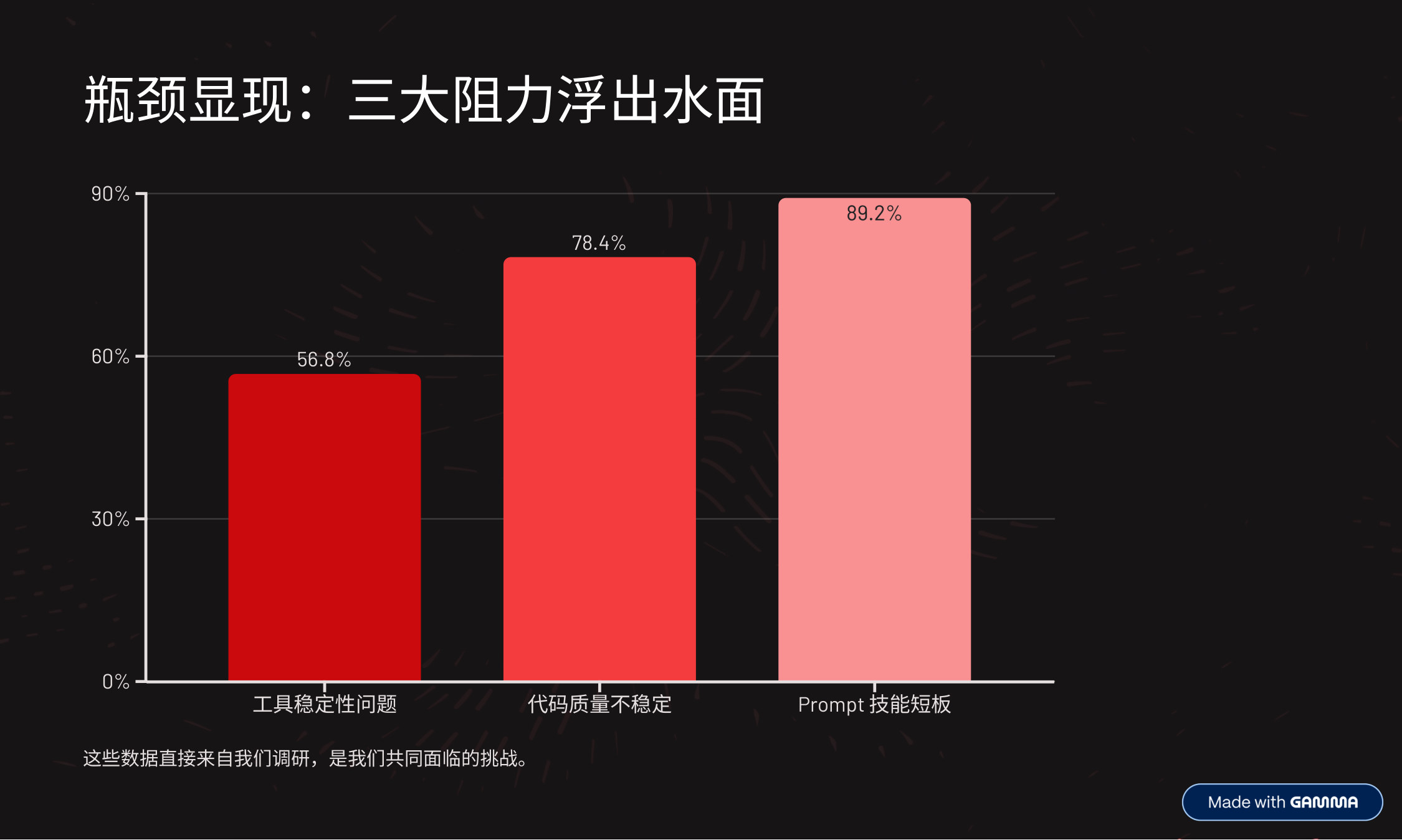
- The survey data reveals three visible frictions:
- First, tool stability: 56.8% of colleagues are affected, and it does disrupt workflow.
- Second, unstable code quality: 78.4% struggle with this — it’s the most prominent issue!
- Most importantly, prompt skill gaps: 88.2% need improvement — almost the entire team.
- These three issues are interconnected and together constrain our capacity release.
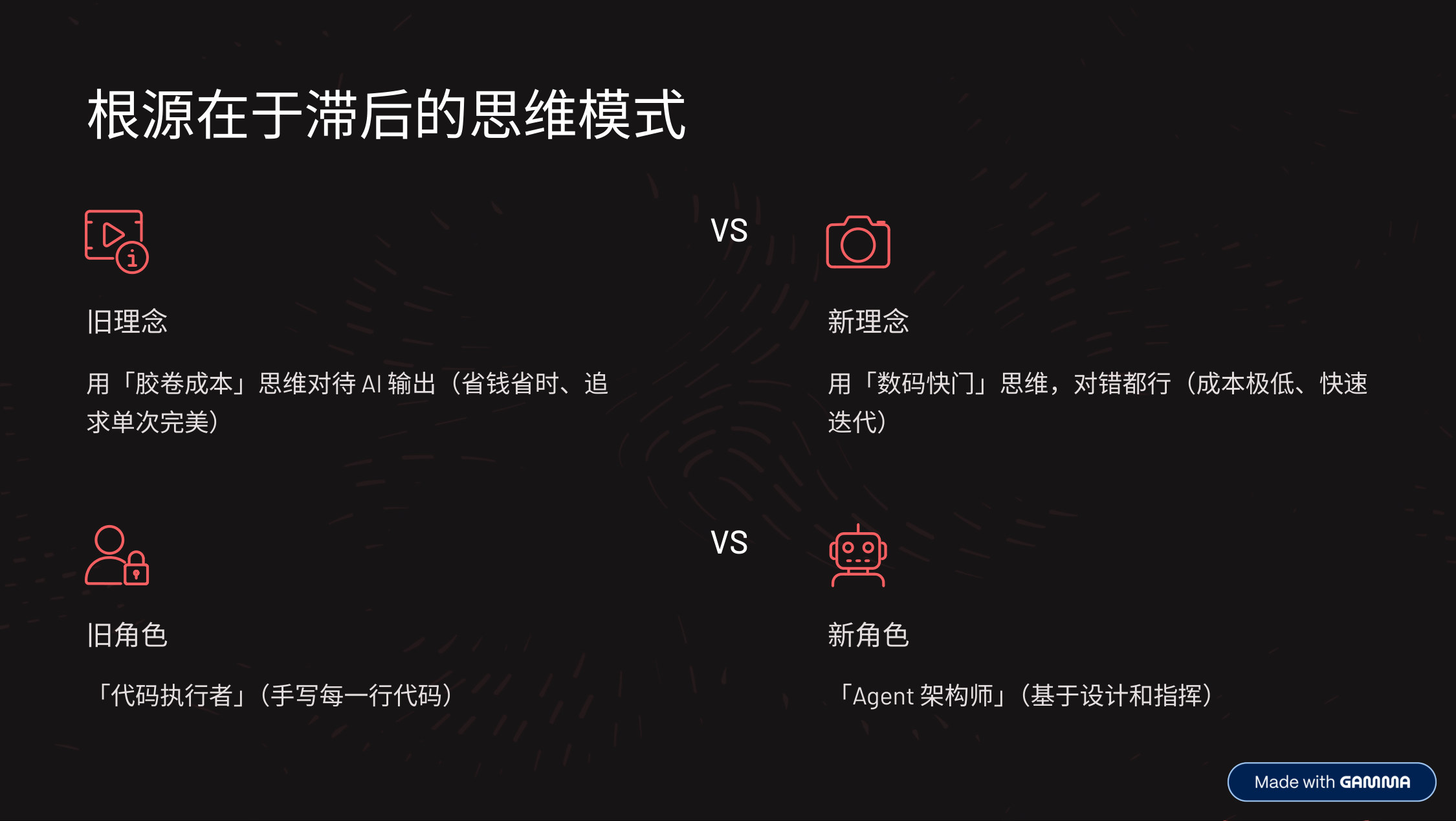
- The problem isn’t the tools — it’s that we haven’t truly adapted to the era of “cheap trial and error.”
- Imagine: someone hands you a digital camera, but you’re afraid to press the shutter because a part of you believes every shot costs money — not only is that absurd, it’s an accurate picture of where we are.
- Before AI, writing code really was like shooting film: debugging, refactoring, starting over — every step burned expensive time and mental energy. To avoid risk, we became overly cautious. But now AI makes code generation extremely cheap. It gives us the “digital camera’s” unlimited burst mode.
- The sad part: we’re holding a digital camera (AI) but still shooting like it’s film. We’re using the old “afraid to make mistakes” mindset to drive a new species that encourages experimentation. That’s the root cause blocking an efficiency explosion.
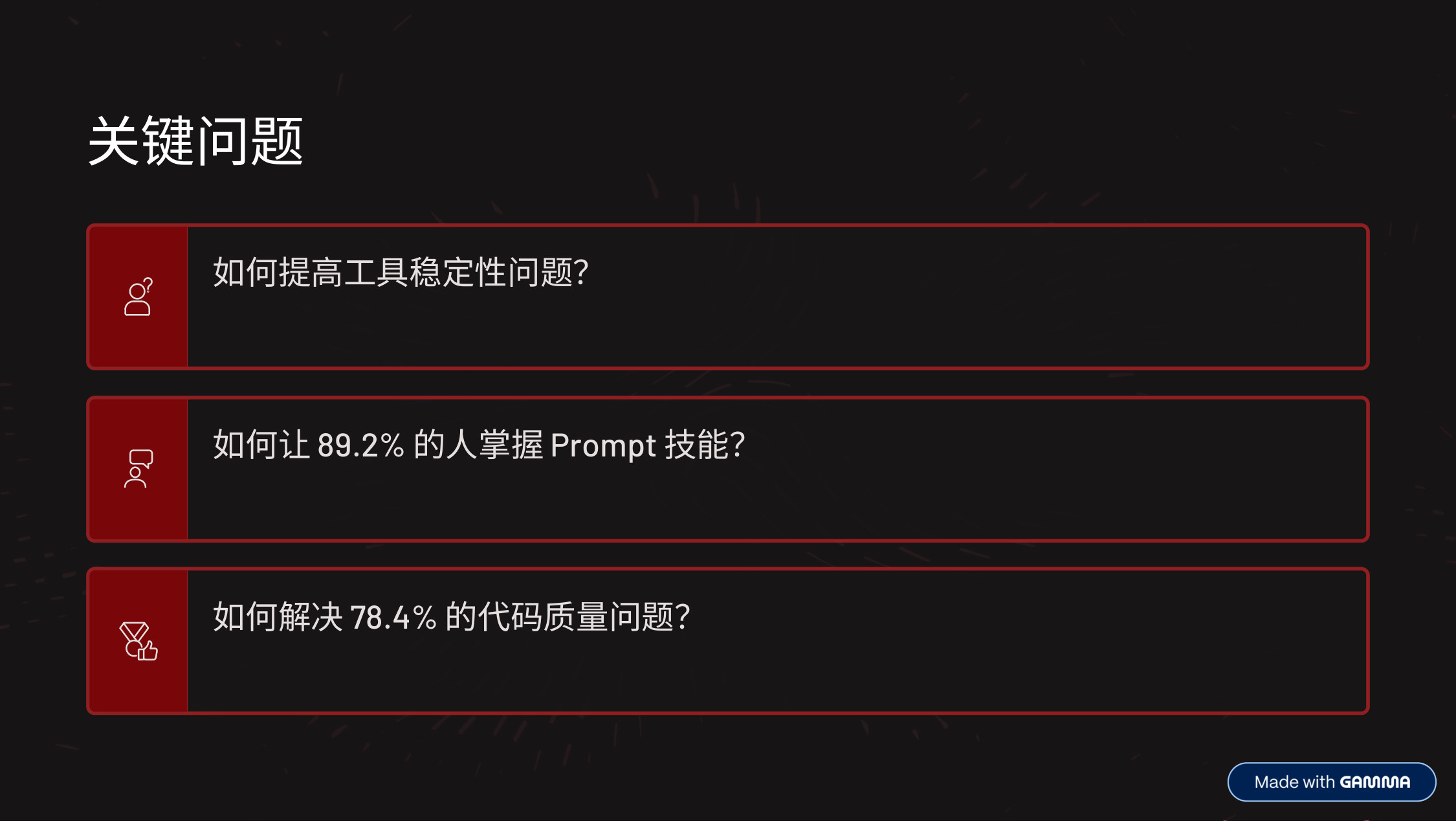
- To reach our goal, we need to solve three key problems:
- First, how do we improve tool stability?
- Second, how do we help everyone master prompt skills?
- Third, how do we solve code quality?
- These three are interlocking — they form the critical path to a capacity leap.

- Let’s start with a simple but annoying problem.
- In productivity work, you must use the most powerful model available to you — anything less is just making things harder for yourself. Previously you could get strong models like the Claude series through some IDEs; now you need some “special measures” to access them.
- I’ll just give you a few keywords to search for — you can find each tool that way. If you still have questions, come chat with me after the session.
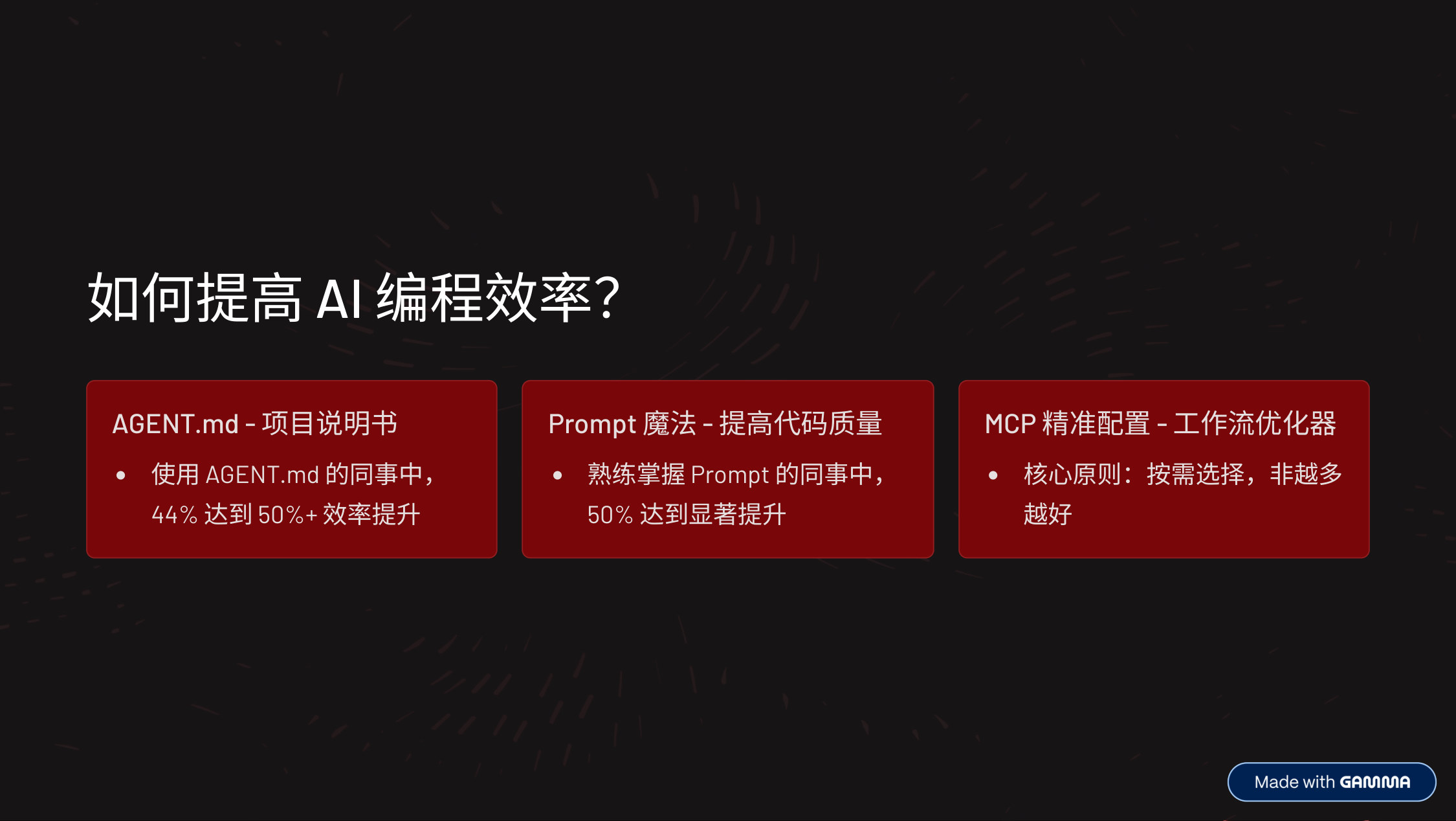
- Next, let’s talk about how to improve AI coding efficiency.
- There are three approaches — let’s go through them together.
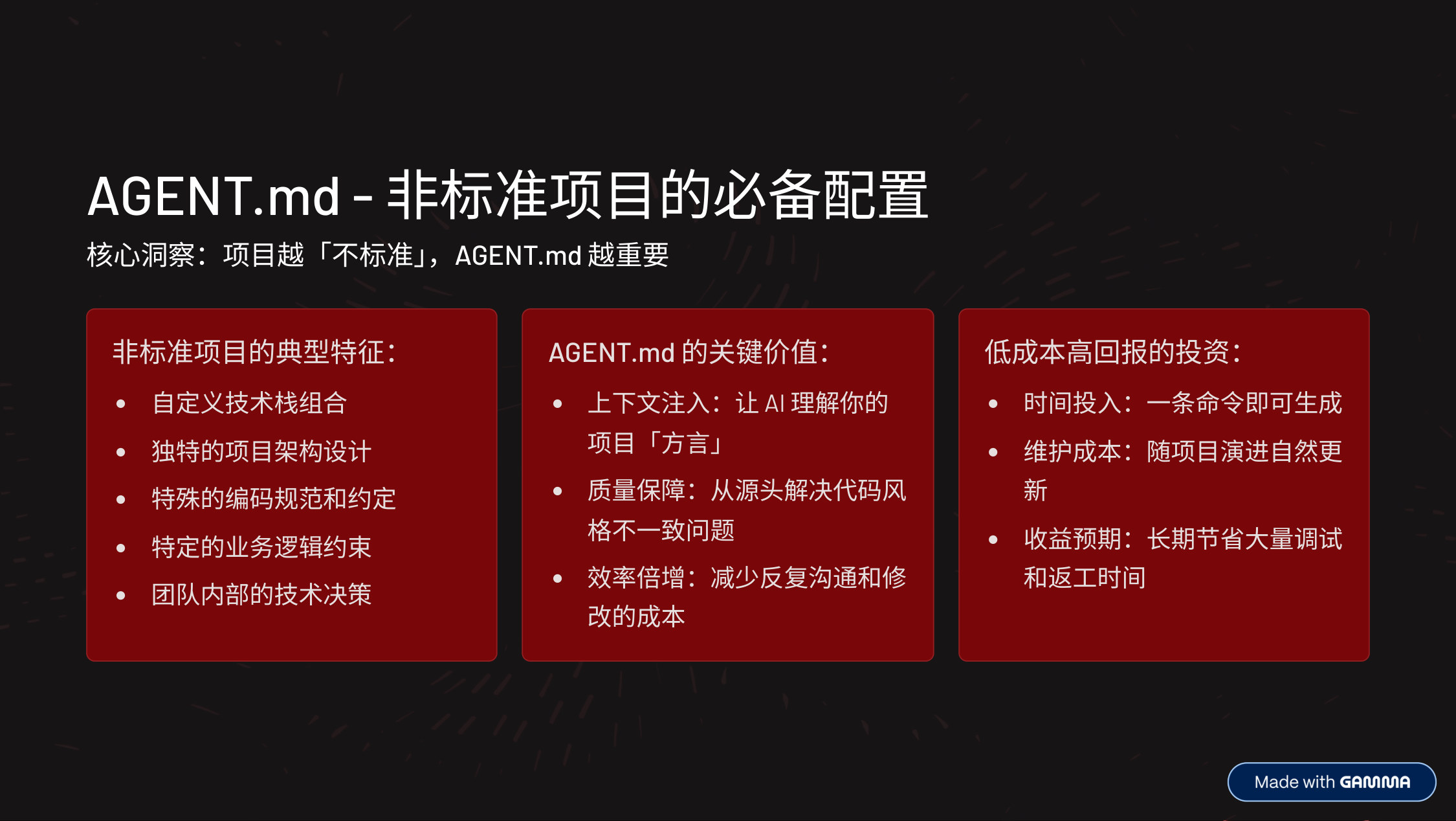
- AGENT.md is the “icing on the cake.” If your project isn’t standard, or is genuinely unconventional, I strongly recommend configuring an AGENT.md.
- It makes AI understand your project better, and the file is cheap to generate — everyone should create one!
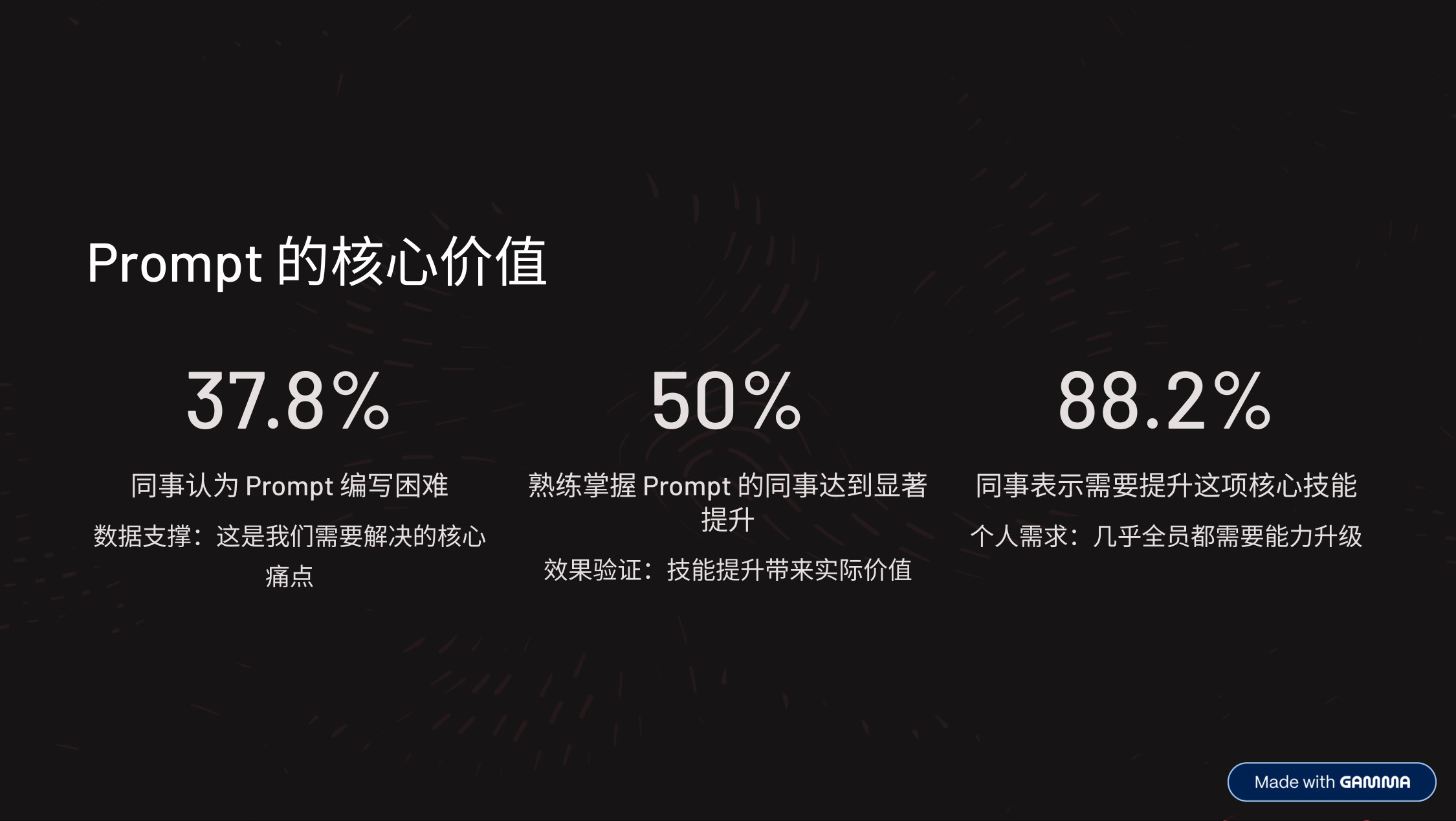
- Let’s look at some data to underline the core value of prompts.
- 37.8% of colleagues find writing prompts difficult — data support: this is the core pain point we need to solve.
- 50% of colleagues who are proficient with prompts achieved significant gains — validation: skill improvement delivers real value.
- 88.2% of colleagues say they need to improve this core skill.
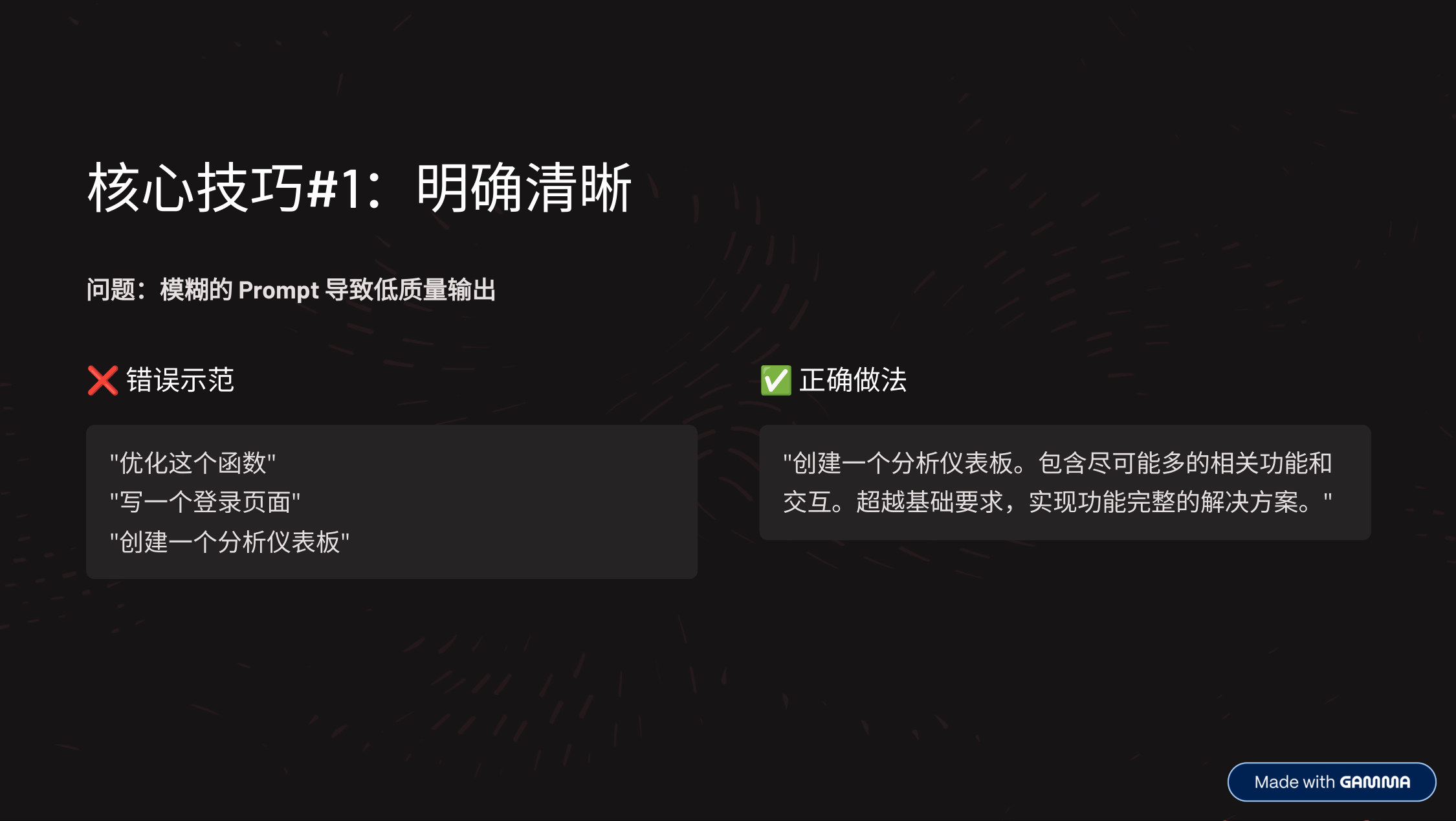
- OK, let’s start with the first core technique: be clear and explicit.
- Core principle: tell the model exactly what you expect to see. If you want comprehensive output, say so directly. If you need specific features, list them one by one.

- Core technique #2: provide context and motivation.
- Explaining why something matters helps the AI better understand your goal and give more targeted responses.
- So be a little verbose — going round and round is fine. No wonder some people even bought microphones for AI coding.
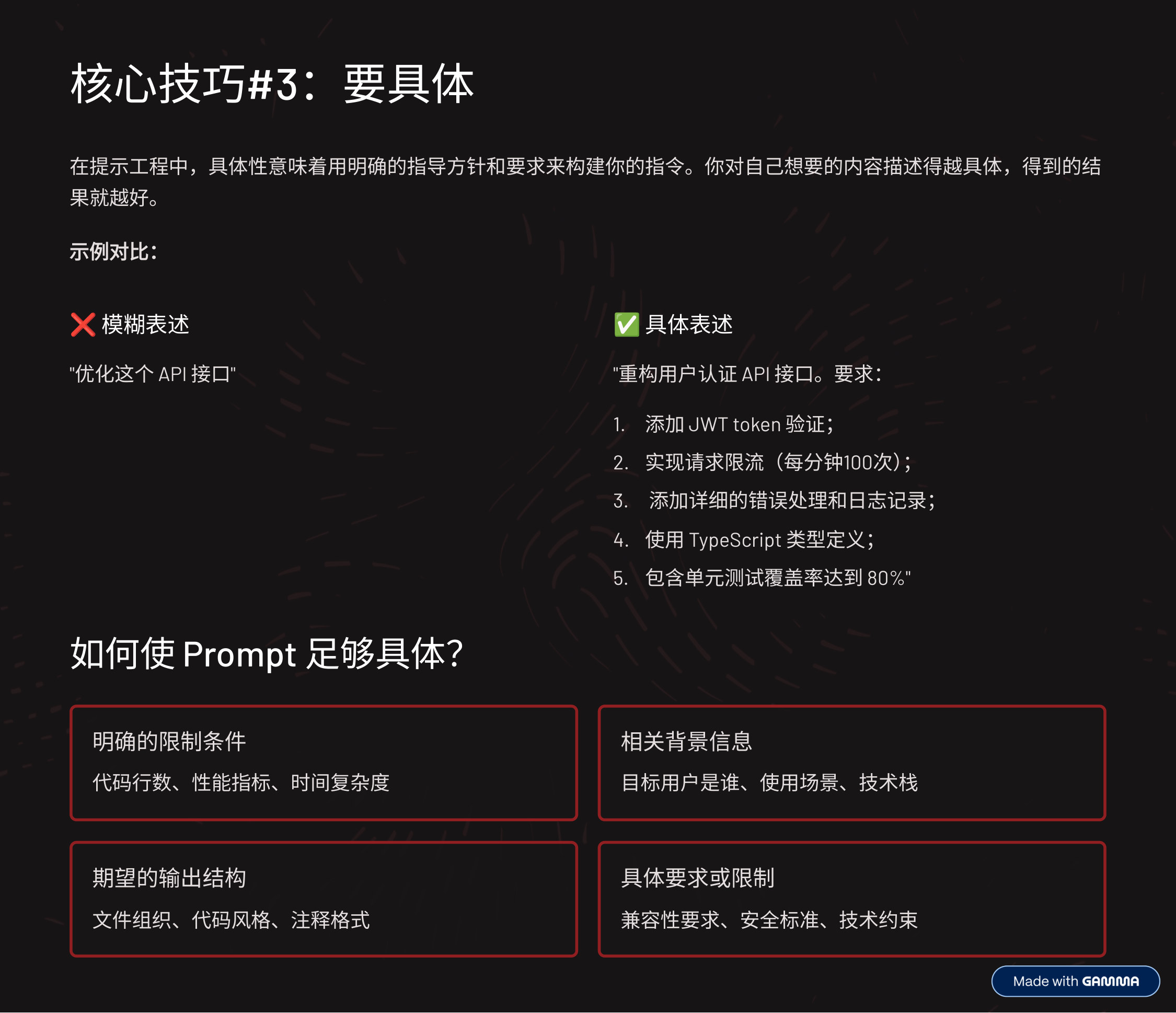
- Core technique #3: be specific.
- In prompt engineering, being specific means structuring your instructions with clear guidelines and requirements. The more specifically you describe what you want, the better the result you’ll get.

- Core technique #4: make good use of examples.
- In our coding scenarios, the way I use this most often is telling the AI to mimic the implementation in our repo — or even implementations in other repos.
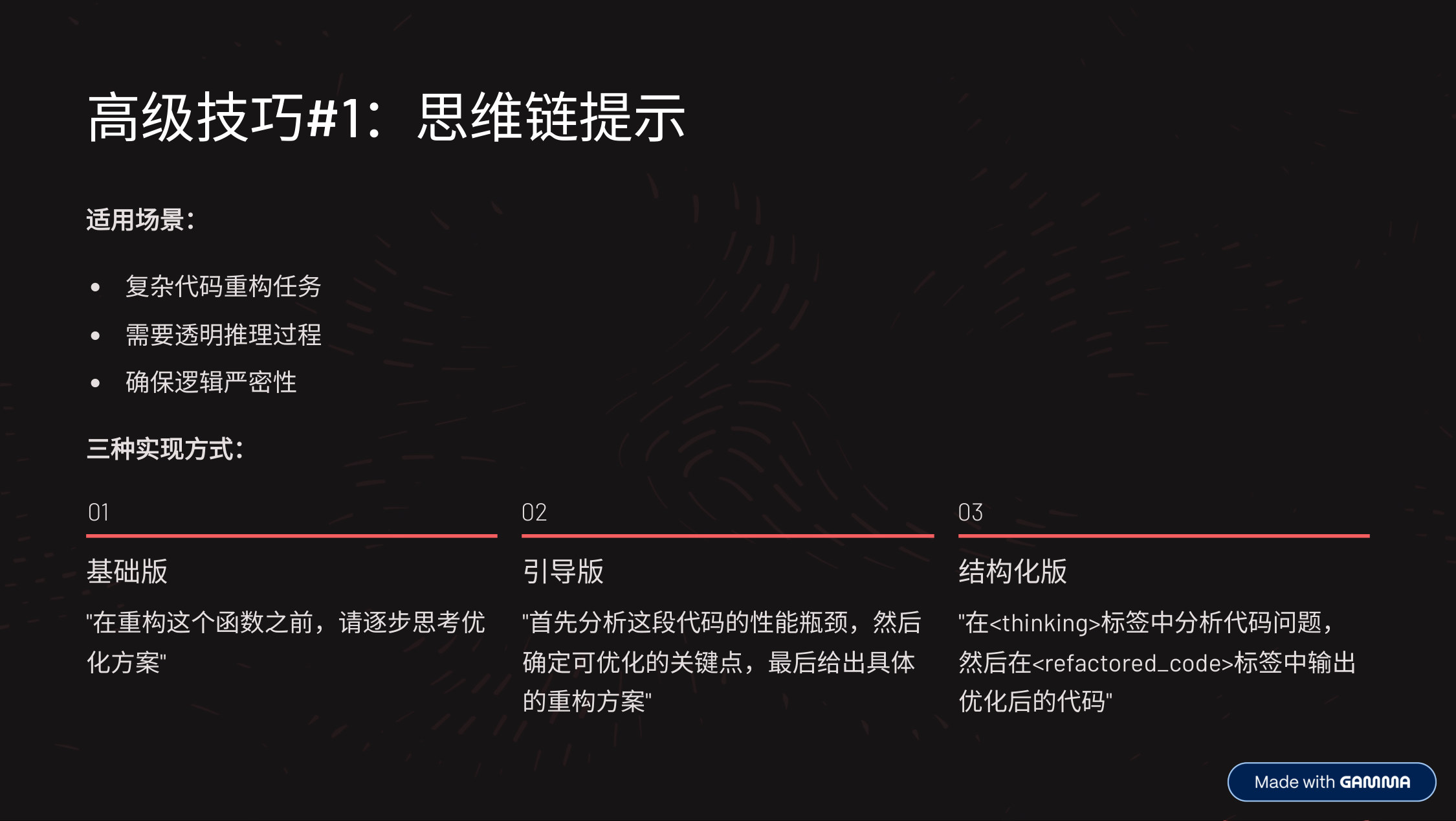
- Advanced technique #1: chain-of-thought prompting.
- Trigger the model’s deep reasoning through your prompt.
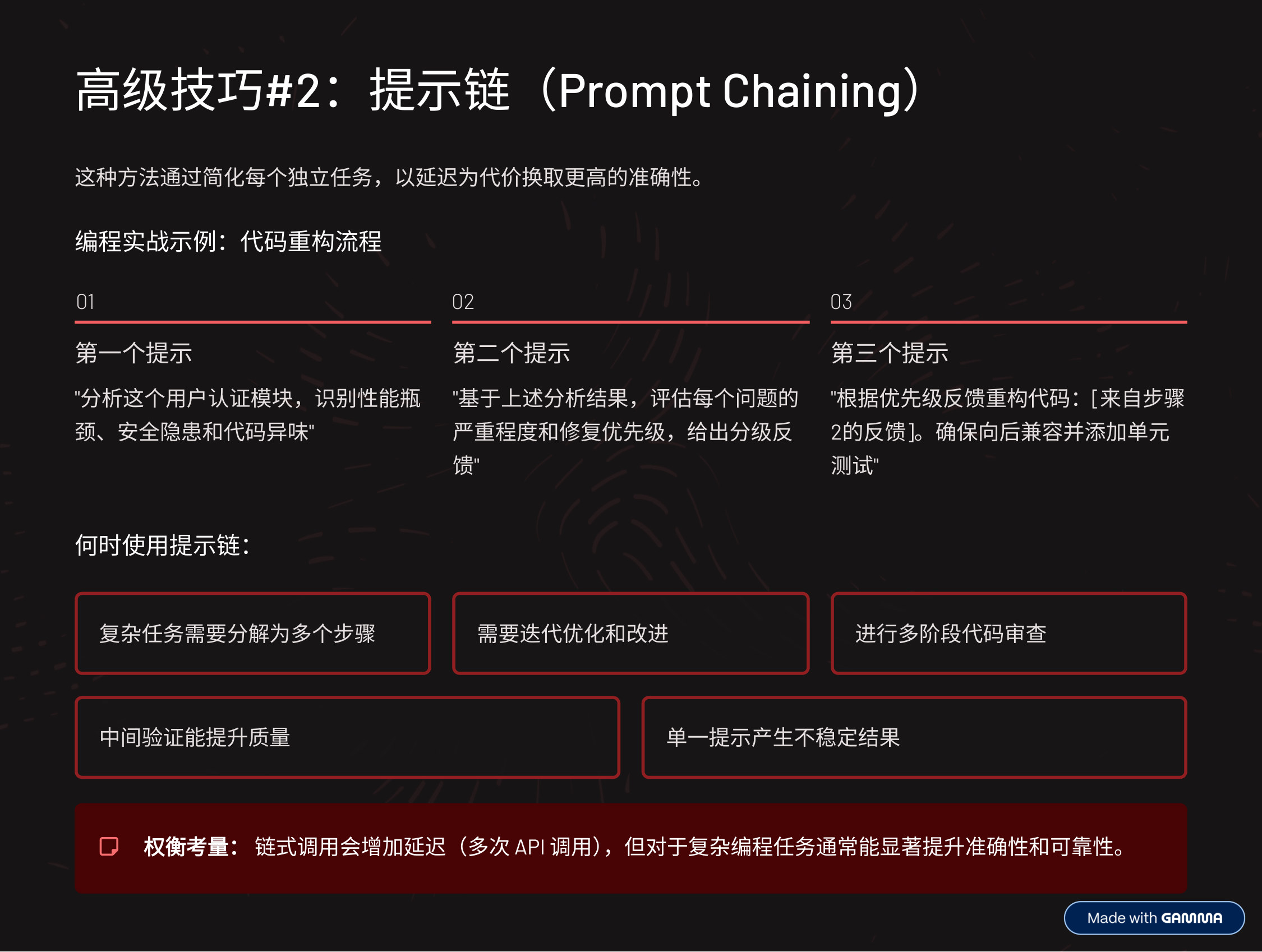
- Advanced technique #2: prompt chaining.
- Unlike previous techniques, prompt chaining can’t be done in a single prompt. This method breaks a complex task into multiple sequential steps, each with its own prompt. Each prompt handles one stage, and its output feeds the next stage as instructions.
- I personally prefer this — you can go step by step and check as you go.
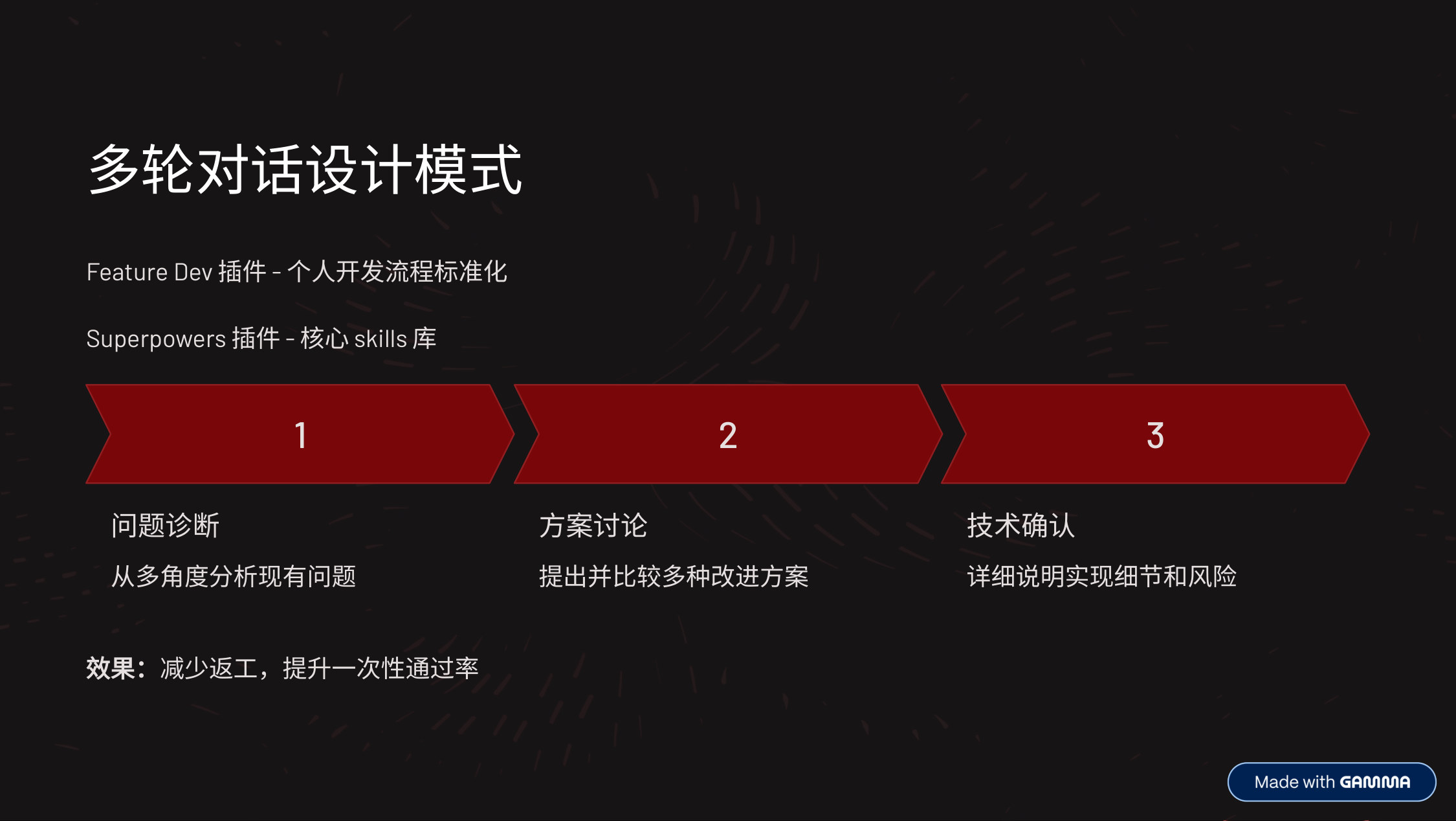
- Some plugins also have built-in flows that walk you through the process step by step.
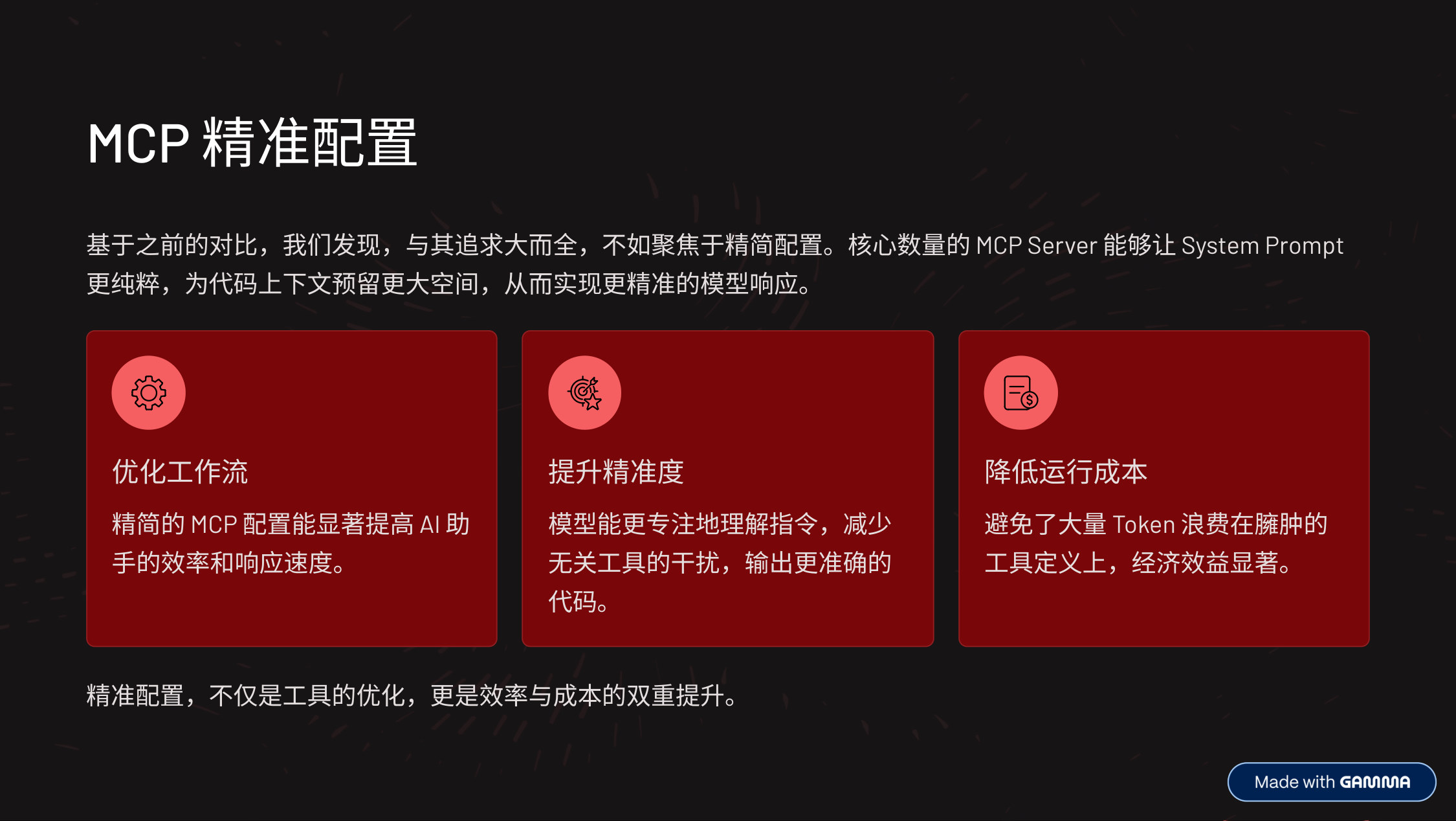
- Core principle for MCP configuration: less is more.
- Instead of trying to cover everything, focus on 3-5 core servers. A lean configuration brings three benefits:
- More efficient: a leaner system prompt leaves more room for code context and yields faster responses.
- More precise: fewer irrelevant tools means the model stays focused on the instructions and produces more accurate output.
- More cost-effective: no tokens wasted on redundant definitions, significantly lowering running costs.
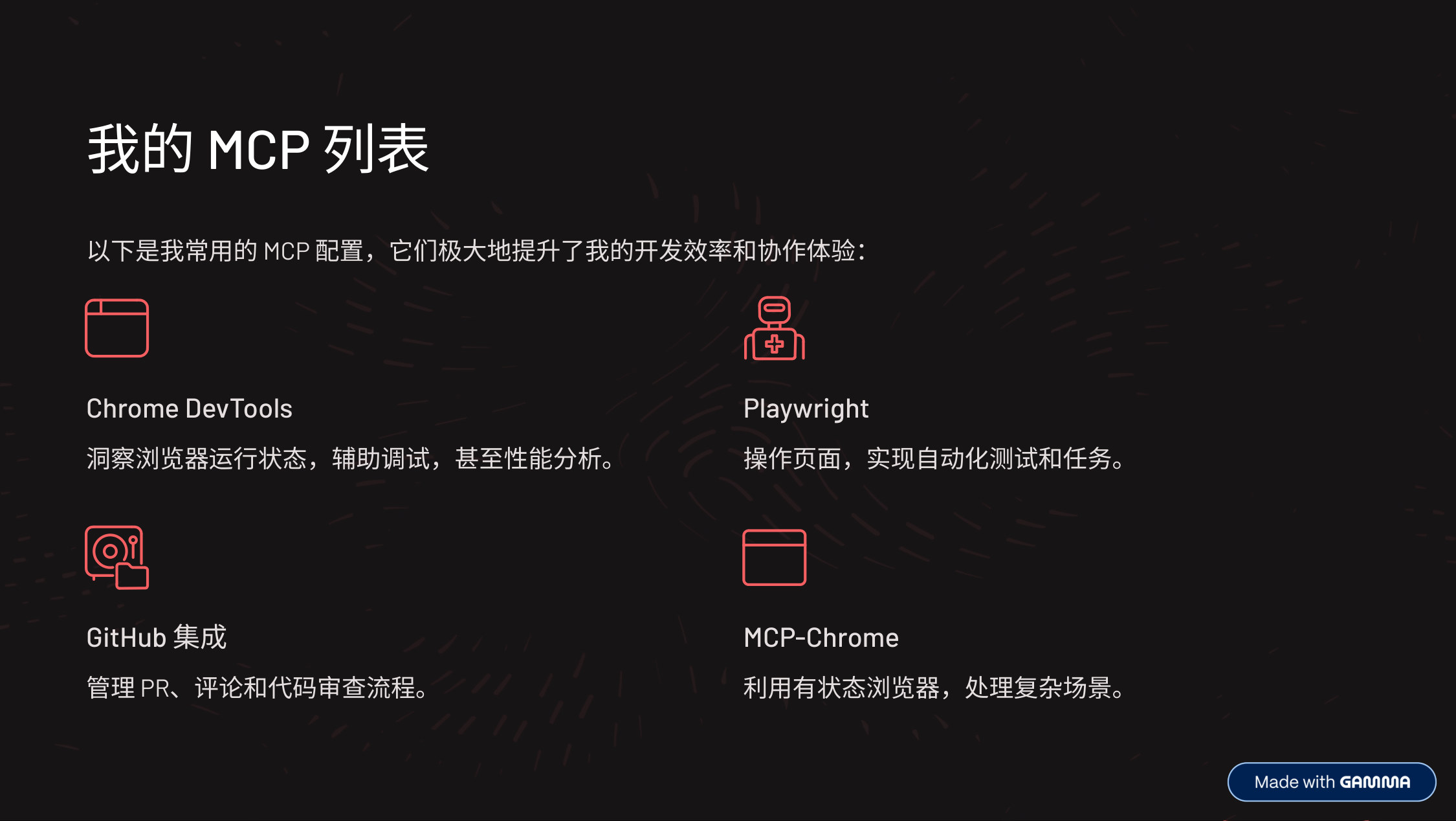
- Now let’s look at my core MCP toolset. These are the essential configurations I use every day — each plays a distinct role, together forming my efficient development environment.
- First, Chrome DevTools: it lets me get inside the browser to inspect and debug page state in real time — indispensable for frontend development.
- Next, Playwright: this powerful library lets me automate web pages, whether for end-to-end testing or repetitive tasks — very efficient.
- Then, GitHub integration: code review and version control are critical for team collaboration. GitHub-related MCPs let me manage PRs, comments, and code review directly in the AI environment, greatly simplifying collaboration.
- Finally, MCP-Chrome: it provides a stateful browser environment — a huge convenience for sessions that need to be maintained or complex interactions.
- This combination lets me handle different kinds of development tasks with ease.
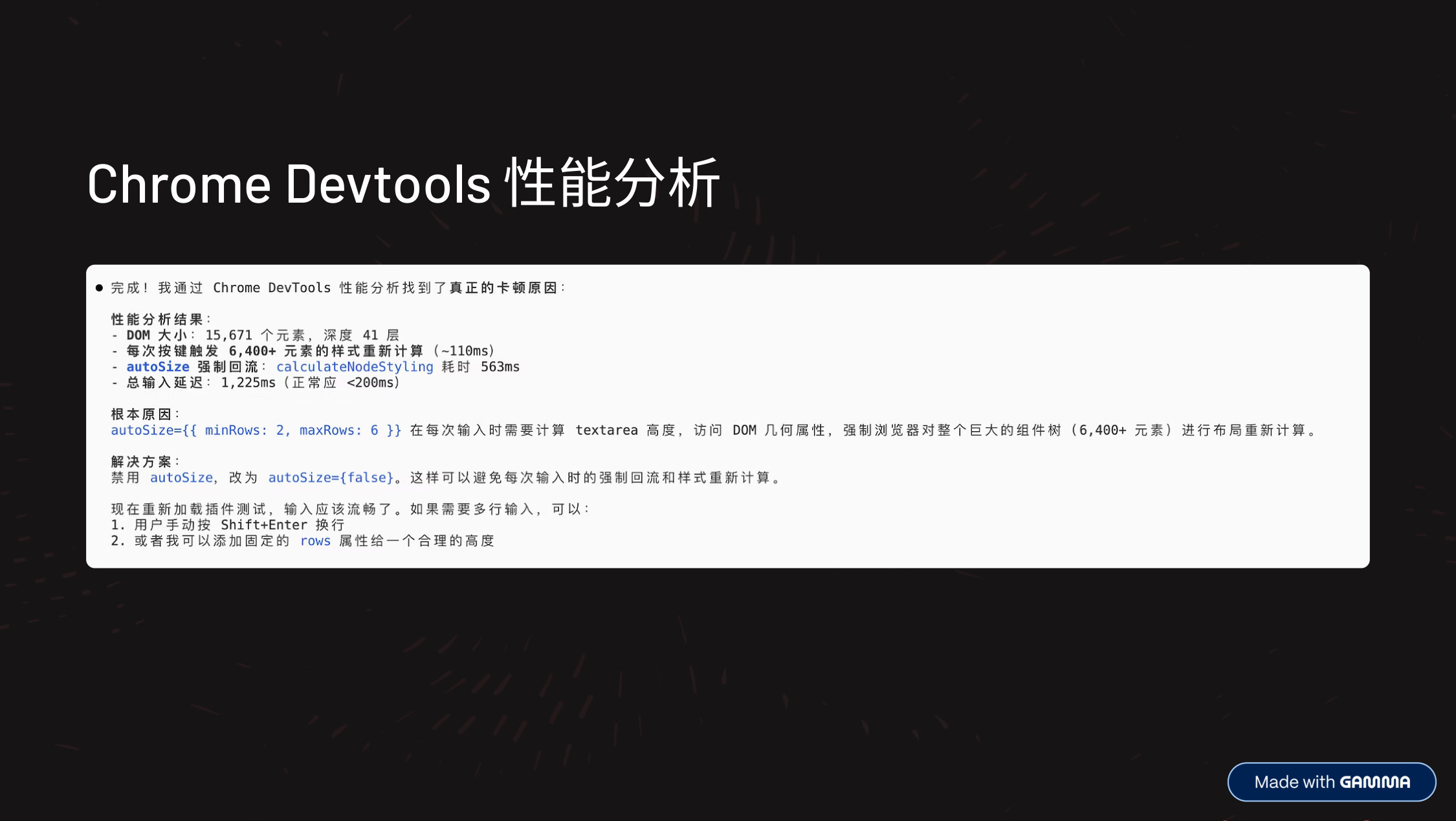
- Chrome DevTools performance analysis: inspect page runtime state directly in the conversation via MCP, without switching back and forth to DevTools.
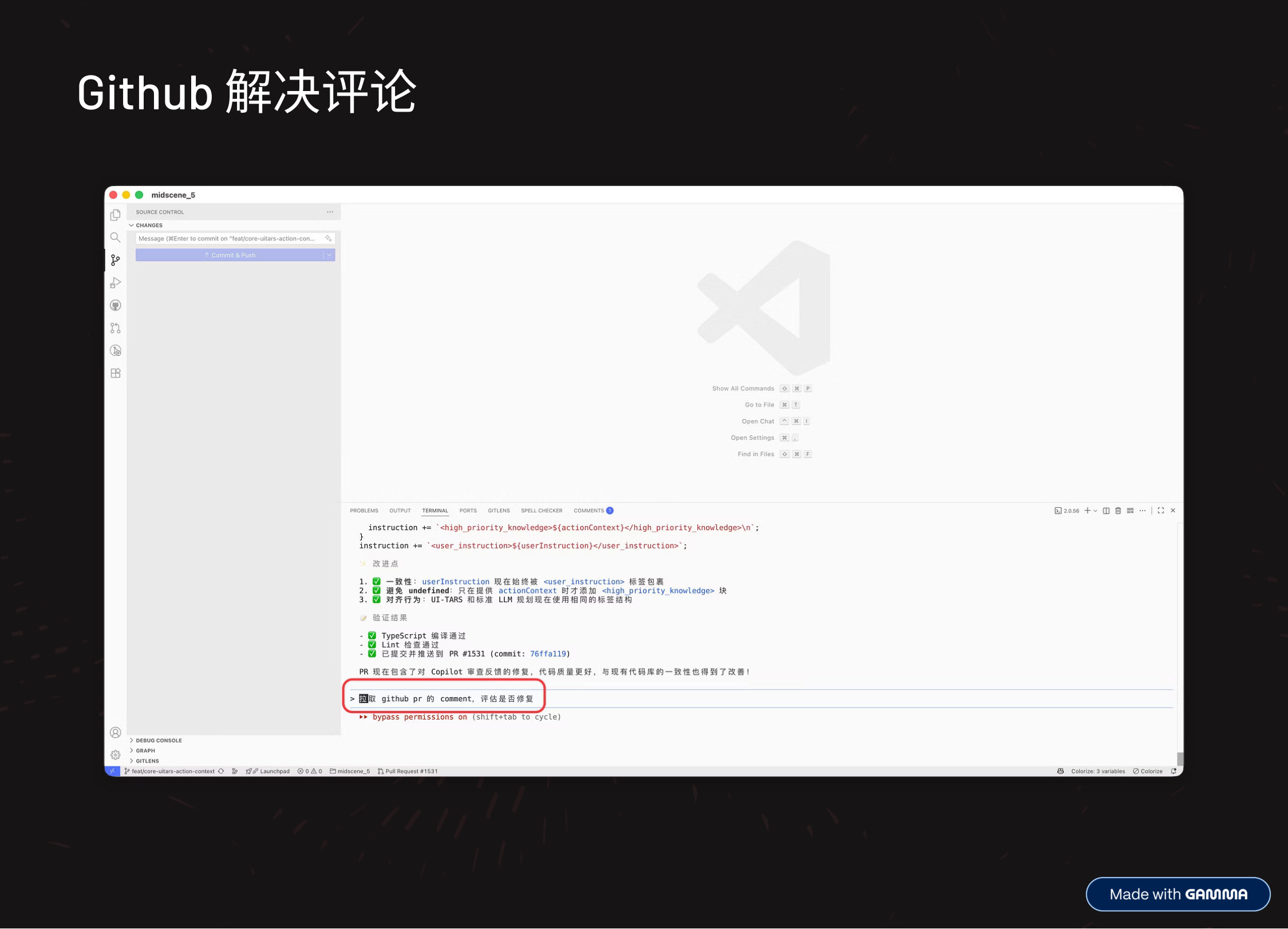
- Resolving GitHub comments: handle PR comments and code review directly in the AI environment — no need to switch back to the web.

- Next, I want to share some tricks of the trade I’ve picked up in practice.
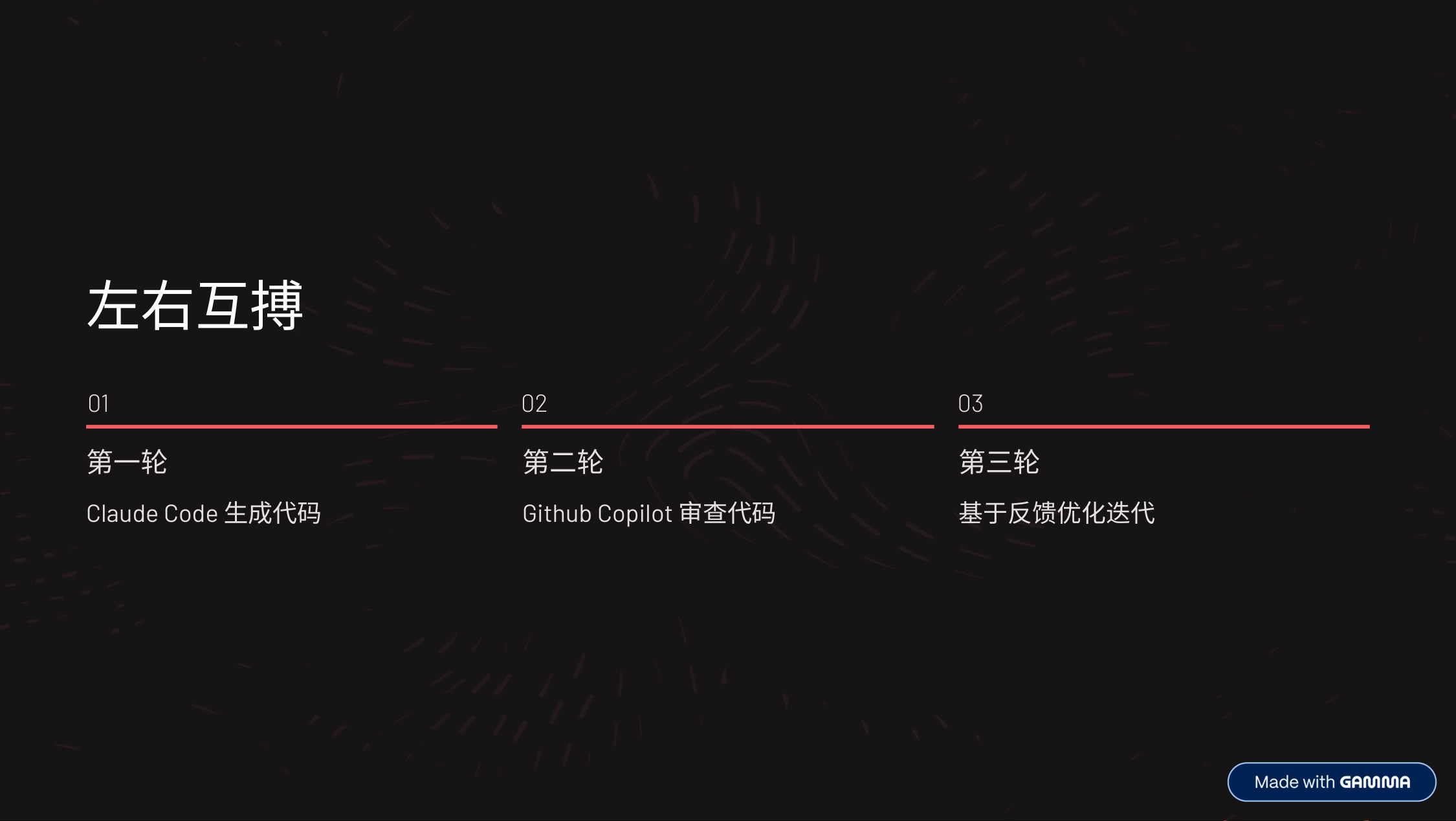
- Left-right mutual combat: in round one, have Claude Code generate the code, then bring in another model or perspective to cross-examine it — code quality improves noticeably.

- Background task delegation: hand repetitive or time-consuming work to AI to run in the background, maximizing your productivity and rest time.
- Delegate before bed or during idle time: use non-working hours or fragments of time to delegate long-running refactors or code generation, and exploratory work that needs multiple approaches.

- Model-switching magic: when you’re stuck, switch models or tools — when you hit a bottleneck or the output quality drops, try switching to a more powerful model or a different tool.
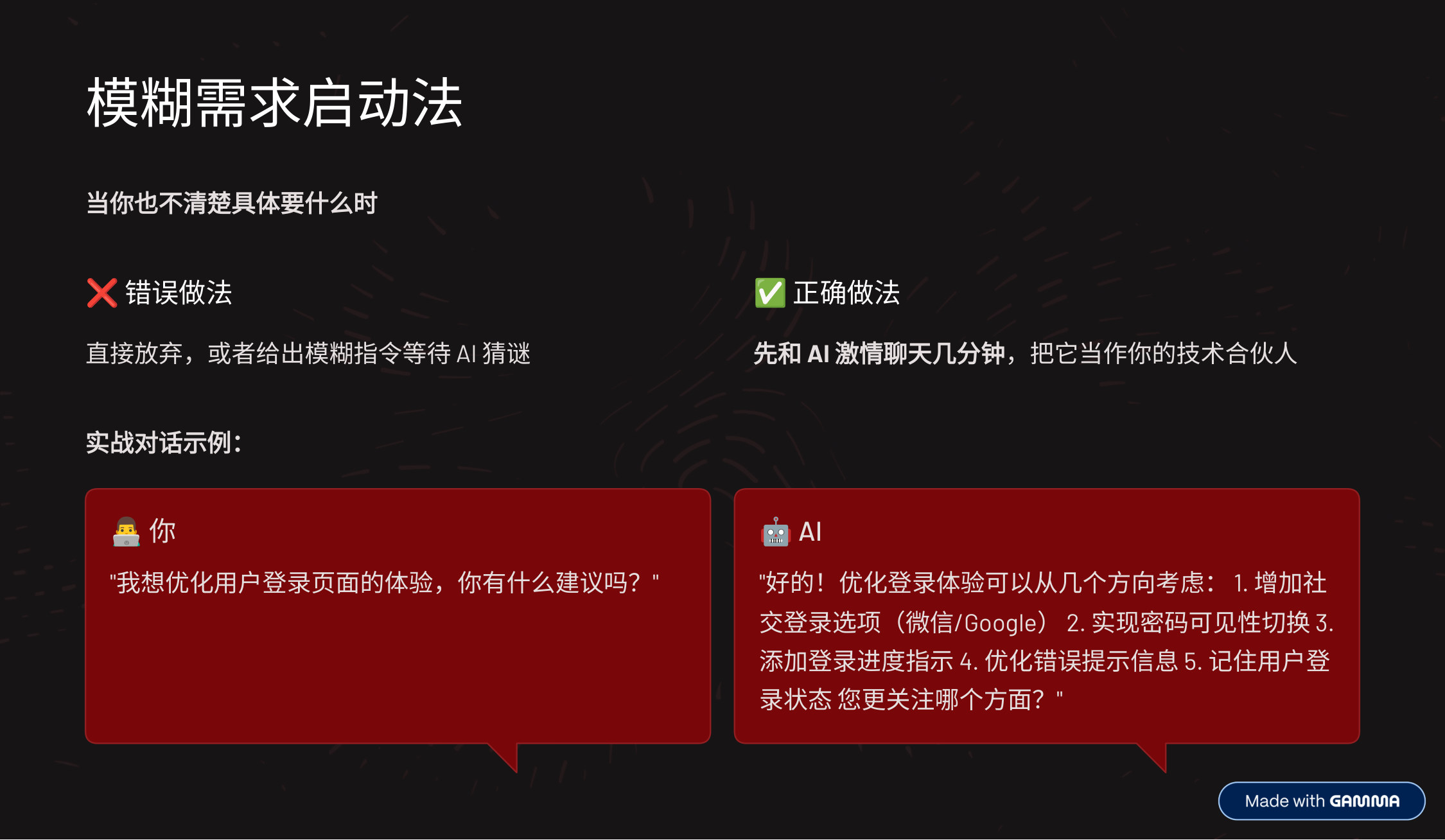
- Fuzzy-requirements kickoff: when you don’t know exactly what you want either, don’t give up or toss a vague instruction at the AI and wait for it to play guessing games — have the AI help you pin down the requirements first.
- The core of this strategy is reducing the cost of context switching.
- In the traditional development model, we constantly switch between windows and tabs for coding, debugging, reading docs, and version control, which hugely scatters our attention and hurts efficiency.
- By giving each major task its own VS Code window, we can:
- Stay focused: each window handles one class of task, keeping the brain in the same context and reducing cognitive load.
- Be more efficient: need to debug? Switch straight to the debug window. Need docs? Switch to the docs window — no hunting or reopening.
- Work in parallel: some tasks can run simultaneously — e.g., while coding in the main window, an AI assistant window can offer suggestions, or run tests in the test window while reading docs.
- It’s like a “multi-threaded” development environment that makes your workflow smoother and more efficient.

- Continuing the personal-workflow optimization theme, this strategy targets the “simple issues” of everyday development.
- The core idea:
- AI does the first pass (triage and handling): many small, well-defined tasks — formatting code, adding a simple getter/setter, fixing an obvious typo, or implementing a known pattern — can go straight to GitHub Copilot first.
- After two failed rounds, a human steps in: if Copilot tries twice (or your preset limit) without a satisfactory result, stop investing more time in AI. That suggests the problem is more complex than it looks, or the AI’s current context and ability aren’t enough. At that point, the developer should step in and solve it through local debugging, reading docs, or talking to a colleague.
- The advantages:
- Maximize AI efficiency: let AI handle the repetitive, pattern-based tasks it’s good at, freeing developers’ time.
- Avoid the “AI black hole”: setting an intervention threshold prevents endless loops in AI attempts.
- Solve problems faster: for complex issues AI struggles with, human intervention is often quicker and more accurate.
- This is a pragmatic strategy — treat AI as an efficient junior assistant, not an all-powerful solution, balancing development efficiency with problem-solving quality.
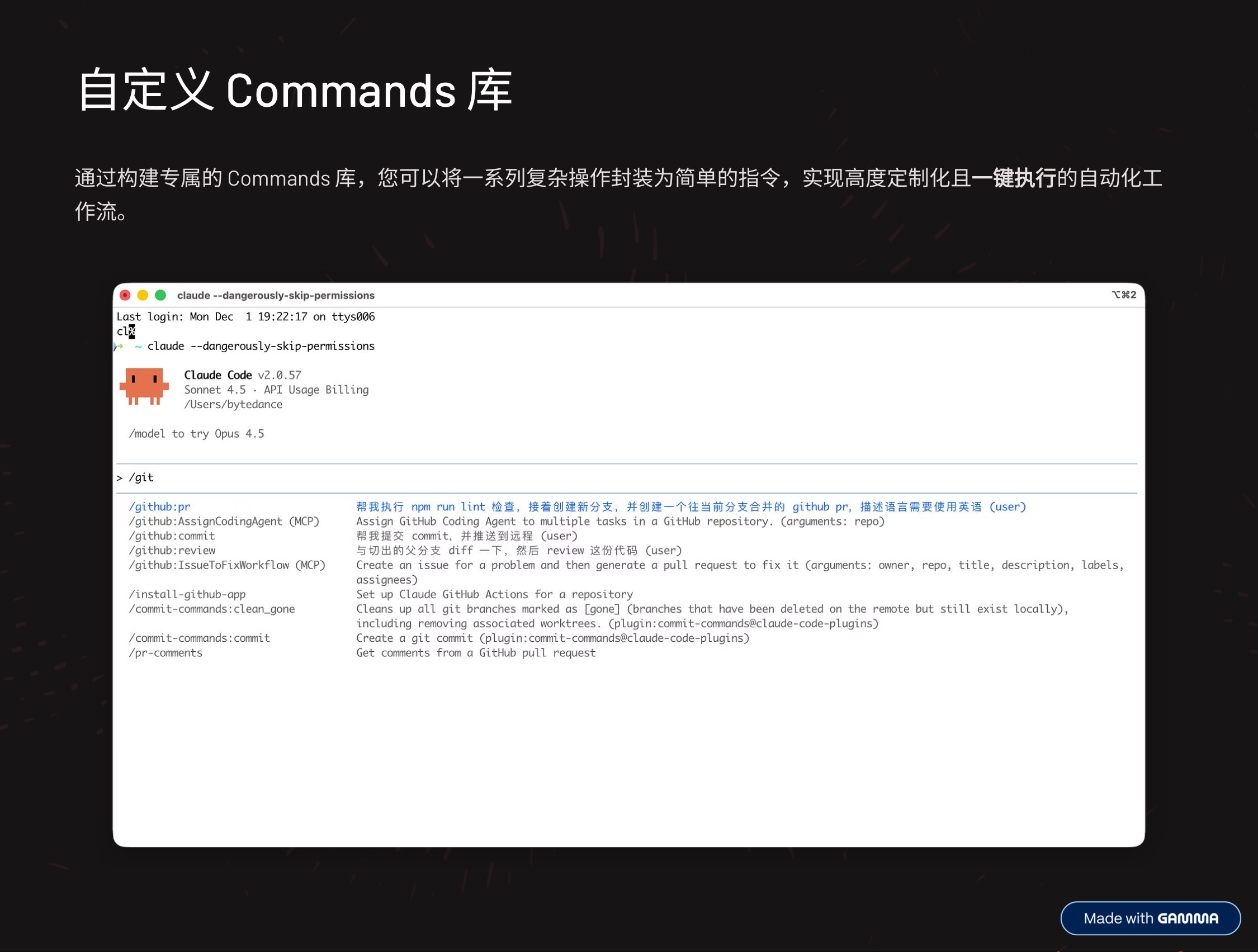
- Now let’s talk about a “custom Commands library.”
- This means building a command set tailored to your working habits and project needs. These commands can wrap complex operations — one-click deployment, running the full test suite, generating a project template, and so on.
- The core advantage is “one-click execution of complex workflows”:
- Simplify tedious operations: automate repetitive, multi-step tasks with a single command, greatly reducing manual intervention and cognitive load. Where you used to run multiple scripts by hand, now you need one command.
- Standardize development processes: especially important for teamwork. Custom commands ensure everyone follows consistent conventions and best practices for a given task — better code quality and smoother collaboration.
- Boost efficiency dramatically: once daily tasks become automated and standardized, your efficiency rises significantly. You can spend more time on core problems and innovation instead of repetitive labor.
- A custom Commands library is a key step in the transformation from “code executor” to “Agent architect” — making your development environment smarter and more efficient.
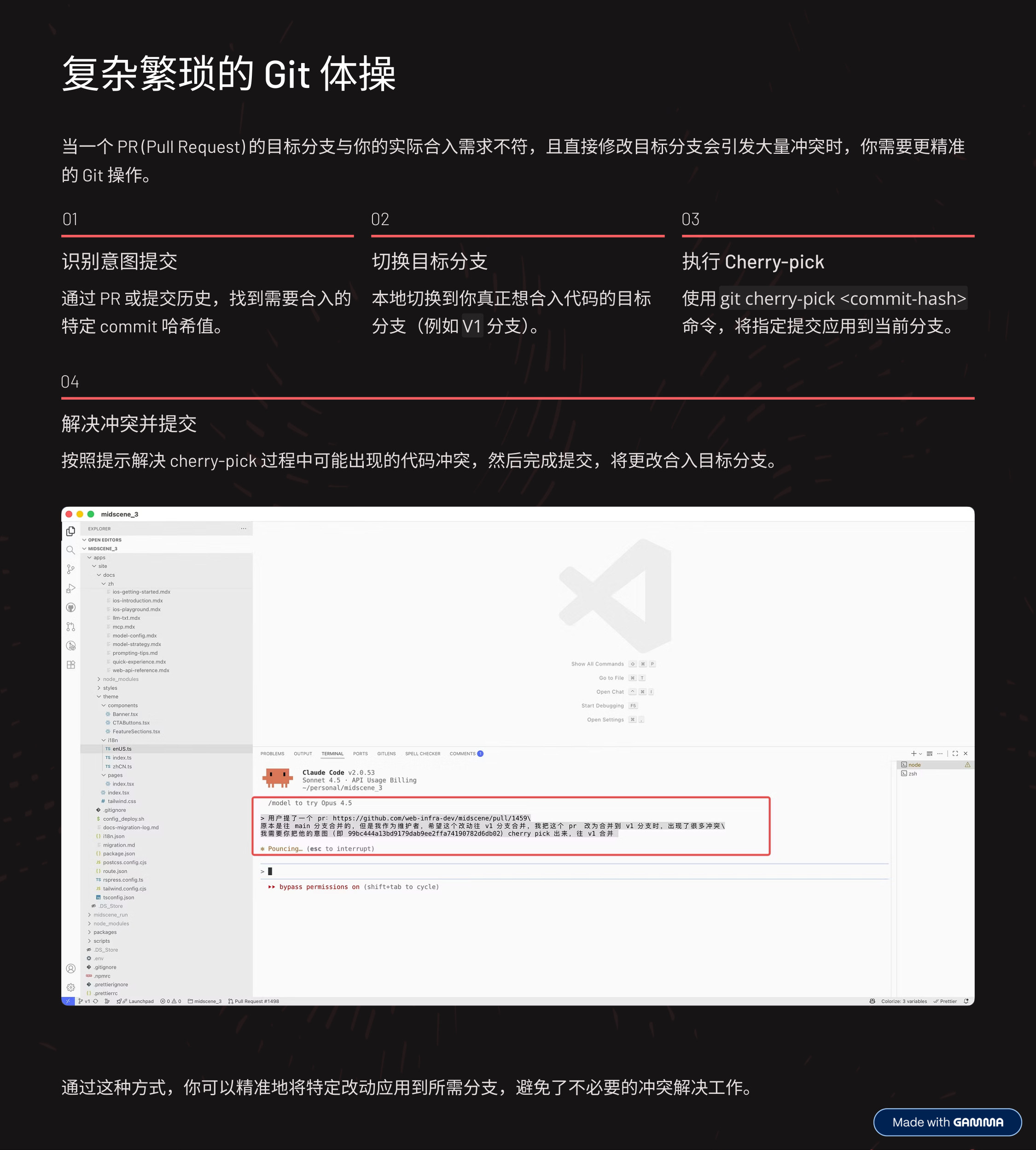
- Complex Git gymnastics: when a PR’s target branch doesn’t match where you actually need to merge, and changing the target branch directly would cause massive conflicts — first find the specific commit hash you need via the PR or commit history, then operate precisely.
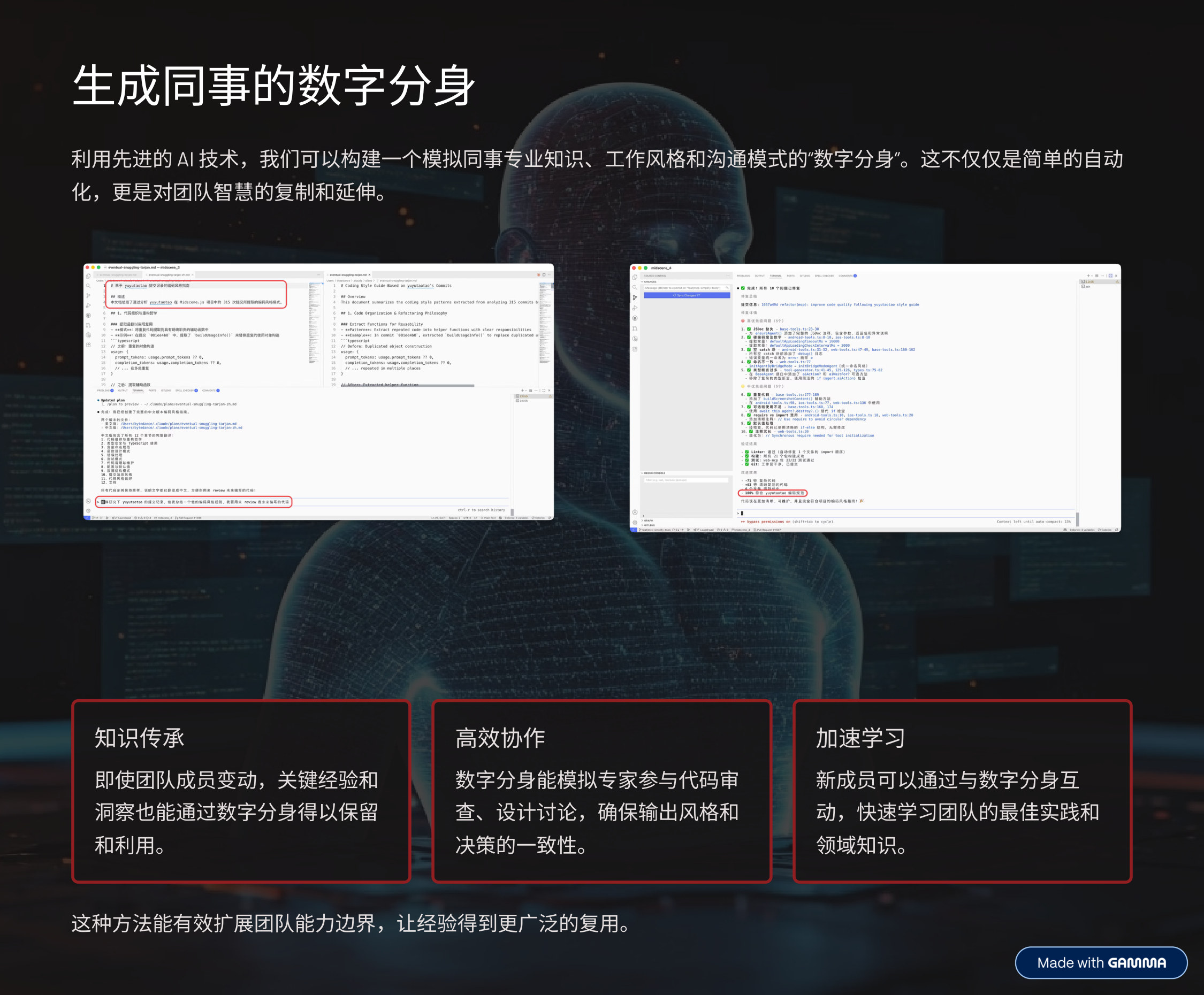
- Next up in the “tricks of the trade” series, a fun one: create a digital doppelganger of your colleague.
- It sounds a bit sci-fi, but with AI we can actually build a “digital doppelganger” that simulates a colleague’s expertise, working style, and even communication patterns. This isn’t just a simple automation script — it’s a replication and extension of the team’s collective wisdom.
- Imagine a senior architect leaves: their experience and decision logic can be fed into AI through their past code, docs, emails, and meeting notes, forming a “digital architect.”
- There are three core values:
- Knowledge preservation: even as team members change, key experience and insights don’t leave with them. The doppelganger retains that knowledge for the team to keep learning from and using.
- Efficient collaboration: the doppelganger can simulate an expert doing code review, joining design discussions, even guiding development — keeping output style and decision logic consistent.
- Faster onboarding: new members can interact with the doppelganger to quickly learn the team’s best practices, domain knowledge, and unwritten norms, greatly shortening the ramp-up time.
- This effectively extends the team’s capability boundary and reuses hard-won experience and wisdom — especially valuable in large projects and high-turnover teams.
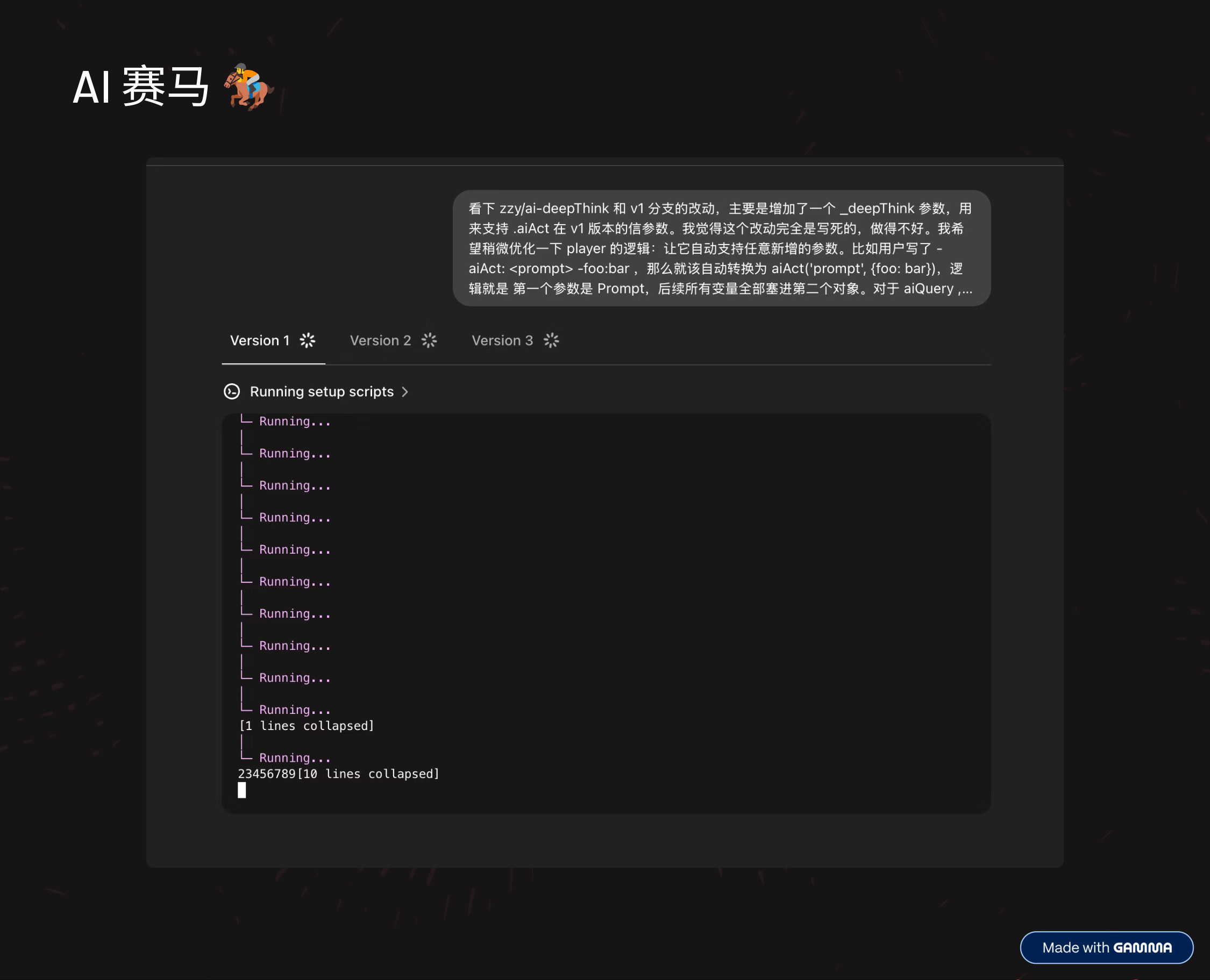
- AI horse racing: give the same requirement to multiple AIs and let their solutions race.
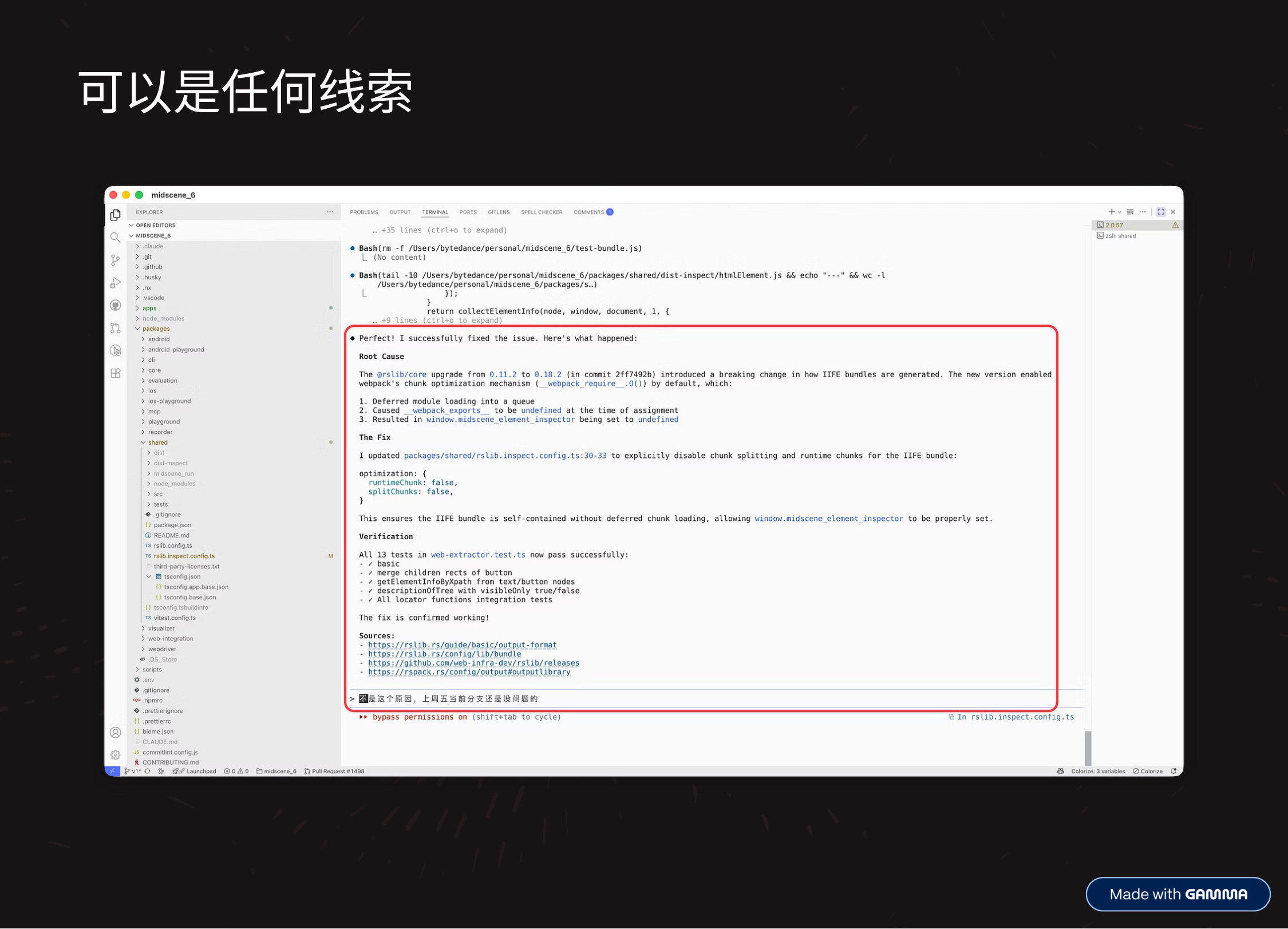
- Any clue works: make use of any clue that can trigger the AI.

- Beyond code, AI has many unexpected “tricks of the trade” in our daily work that can greatly improve efficiency and quality.
- First, data analysis and insights: analyzing survey data the traditional way is time-consuming, but now we can feed large amounts of survey data to AI and have it quickly identify patterns, trends, and key insights. This not only saves a lot of time, it also helps us gain deeper understanding from the data and make better-informed business decisions.
- Second, slide-to-script generation: for people doing talks and presentations, turning slides into a verbatim script is a common task. Now you can hand your slides to AI and have it automatically produce a detailed script. Great for reviewing and sharing — and you can even translate it into other languages, spreading the content further.
- Third, user-perspective changelogs: too often, the changelogs we write as developers are technical and hard for users to understand. AI can convert complex, technical release notes into user-friendly language that’s easy to grasp. This strengthens users’ perception of the product and boosts engagement and satisfaction.
- These examples show that AI’s value goes far beyond programming itself — it can permeate every corner of our work and become a “super assistant” for getting things done efficiently.

- So is AI all-powerful? Let’s re-examine the boundaries of AI: in practice, AI coding tools have inherent limitations — especially in understanding complex context, handling abstract concepts, and ensuring code quality and security, where human engineers must remain deeply involved and make the final call. Recognizing these boundaries helps us use AI more rationally and effectively.
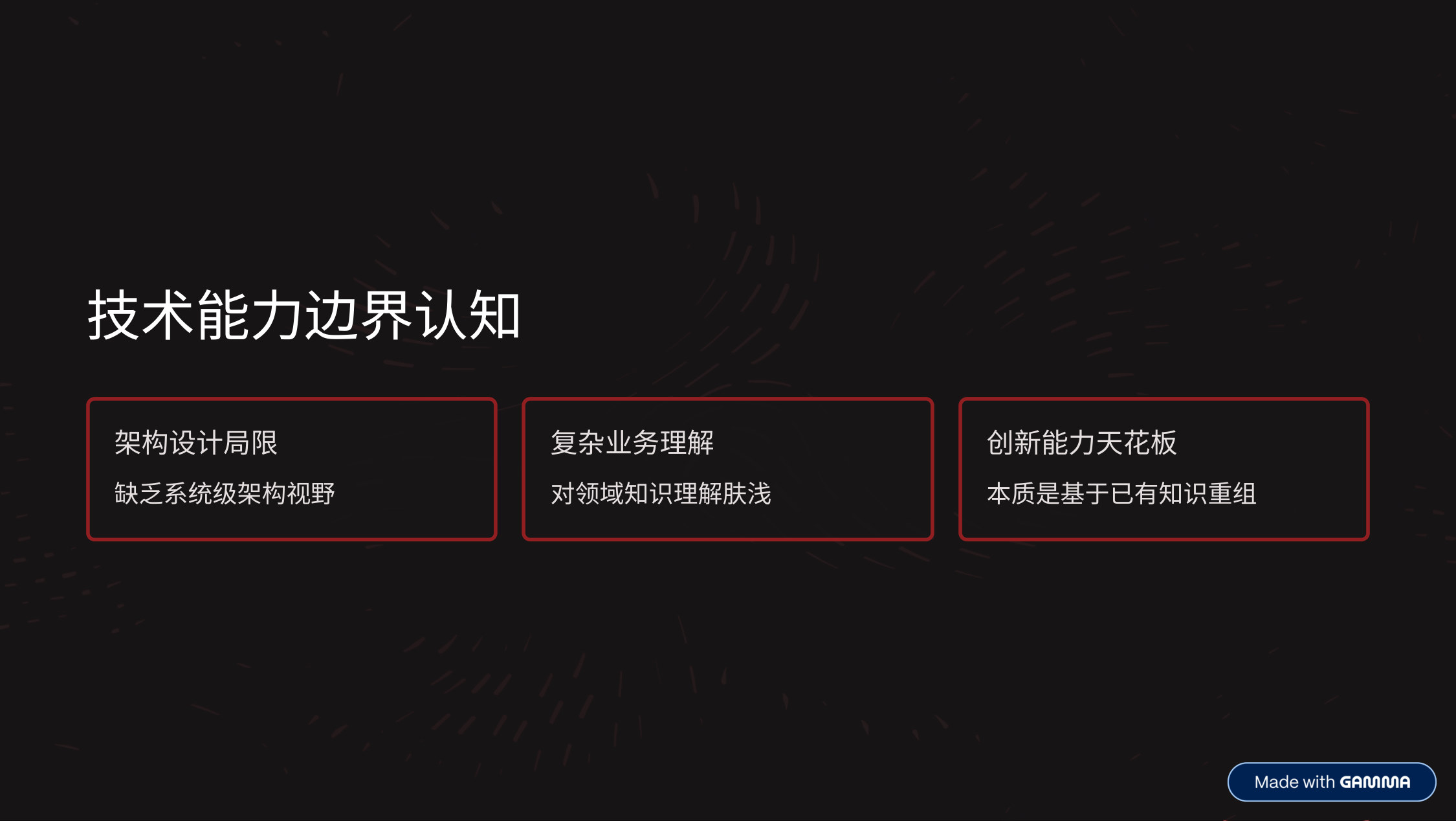
- Technical capability boundaries: architecture design limits (lacks system-level architectural vision), shallow understanding of complex business/domain knowledge, and innovation ceilings.
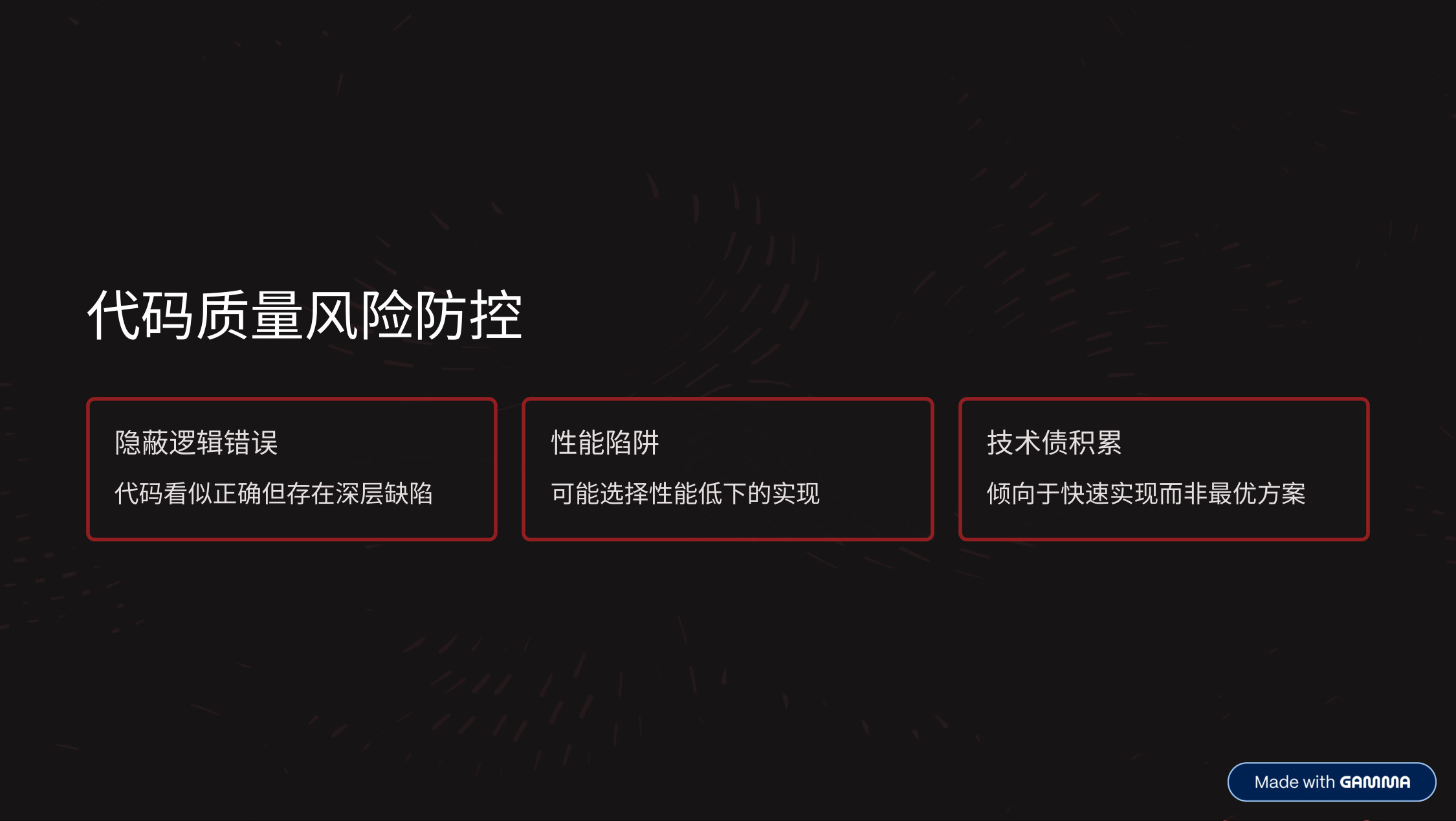
- Code quality risk control: hidden logic errors (code that looks right but has deep flaws), performance traps (may pick inefficient implementations), and accumulating technical debt.

- Thank you — that concludes my talk today!
Slides Attachment
Vibecoding: A Breakout Guide for Programmers in the AI Folding
http://quanru.github.io/2025/12/04/Vibecoding-Programmers-Breakout-Guide-in-the-AI-Folding